Smart home control panel guide for Matter, Thread, and reliable whole-home control
What a smart home control panel should do
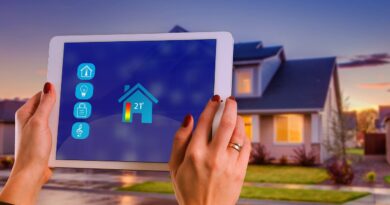
A smart home control panel is the fixed interface people use to manage lights, climate, shades, locks, cameras, scenes, and alerts from one place. The right panel is not simply the largest touchscreen or the newest device on the wall. It needs to match the protocols used in the home, keep everyday controls available to all household members, and avoid placing critical functions behind one person’s phone app. In a modern Smart Home setup, the better choice is usually a panel that works with a stable hub or controller, supports local automations where possible, has a clear plan for Matter and Thread devices, and can be updated over time without turning the wall into an obsolete dashboard.
Control panel, hub, controller, and dashboard are not the same
Many buying mistakes start with terminology. A wall panel may look like the center of the system, but it may only be a dashboard. A hub may run automations without offering any screen at all. A Matter controller may commission and manage Matter devices, while a Thread border router connects Thread devices to the home IP network. One product can combine several of these roles, but each role should be checked separately before installation.
| Term | Main role | Why it matters when choosing a panel |
|---|---|---|
| Smart home control panel | Visible user interface for daily control | It should be easy for guests and family members to use without opening several apps. |
| Hub | Connects and manages devices, often across Zigbee, Z-Wave, LAN, or cloud services | A panel without a capable hub may only mirror limited app controls. |
| Matter controller | Adds and controls Matter devices within an ecosystem | Needed for Matter device setup and management in that ecosystem. |
| Thread border router | Bridges Thread devices to Wi-Fi or Ethernet networks | Required for most Matter-over-Thread devices such as many sensors, locks, and low-power accessories. |
| Dashboard software | Custom screen layout for scenes, rooms, status, and shortcuts | Useful only if the underlying integrations remain reliable and maintained. |
The practical lesson is straightforward: do not buy a panel only because it says it supports a voice assistant or a mobile app. Confirm what it can control locally, which ecosystem it joins, whether it includes or depends on a Matter controller, and whether a separate Thread border router is required.
Why Matter and Thread changed the buying criteria
Matter has made smart home control less dependent on a single brand ecosystem, but it has not removed the need for planning. The Connectivity Standards Alliance released Matter 1.0 in 2022, and later releases have expanded device types, setup methods, reliability work, and management features. As of September 1, 2026, the Alliance’s public release history lists Matter 1.6, announced on June 17, 2026, as the latest feature release. It focused on setup improvements, multi-ecosystem experiences, and context-driven control rather than simply adding another large wave of device categories.
For control panels, this matters in three ways. First, a panel should not be judged only by the number of logos on its box. It must work with the Matter controller or hub that will actually commission the devices. Second, the panel should make it clear when a feature comes from Matter and when it still depends on a manufacturer cloud service or bridge. Third, the panel should be selected with update support in mind, because Matter features arrive through ecosystem and device firmware updates, not just through the panel’s screen hardware.
Thread is equally important for battery-powered and low-power devices. The Thread Group describes Thread as an IPv6-based mesh networking technology for smart home and building devices. Thread 1.4 added improvements such as credential sharing, network diagnostics, commissioning at scale, enhanced robustness, and Thread over infrastructure. In practical terms, the direction is toward less fragmented Thread networks and easier troubleshooting. A control panel that sits in the wall but cannot show device status clearly, surface network problems, or maintain a strong connection may feel outdated even if the display itself is modern.
A short timeline of control-relevant smart home changes
The following timeline helps separate current facts from marketing claims. It also shows why a control panel should be evaluated as part of a system, not as a standalone screen.
| Date | Development | Relevance to control panels |
|---|---|---|
| November 7, 2024 | Matter 1.4 added more infrastructure and energy-related capabilities, including work connected to home routers and access points. | Panels became more tied to broader home infrastructure, not only light and plug control. |
| May 7, 2025 | Matter 1.4.1 introduced setup improvements such as enhanced setup flow, multi-device QR codes, and NFC onboarding information. | Installers and homeowners gained better paths for commissioning devices that are hard to scan after installation. |
| August 11, 2025 | Matter 1.4.2 focused on security, scalability, and certification process refinements. | Reliability and testing became more important evaluation points than headline device count. |
| November 20, 2025 | Matter 1.5 introduced cameras, closures, and enhanced energy management capabilities. | Control panels increasingly need layouts for video, access, and energy information, not just simple switches. |
| March 31, 2026 | Matter 1.5.1 refined camera performance and device flexibility. | Panels used for camera viewing should be checked for actual ecosystem support, not only protocol promises. |
| June 17, 2026 | Matter 1.6 emphasized setup, multi-ecosystem use, and context-aware control. | The best panel strategy is becoming more about coordination among systems than about one isolated touchscreen. |
Installation and wiring decisions matter more than screen size
A fixed panel becomes part of the building. That makes power, mounting, network quality, and service access more important than the first impression of the interface. Before cutting into a wall, decide whether the panel will use low-voltage power, Power over Ethernet, a USB power supply, or a manufacturer-specific dock. A PoE installation can be clean and stable when planned correctly, but it requires compatible network equipment and proper cabling. A consumer tablet dock may be cheaper and easier to replace, but it can look less integrated and may depend heavily on Wi-Fi.
Location is another common failure point. A panel near the main entry is useful for alarm state, locks, lighting scenes, and away mode. A kitchen or living area panel is often better for daily scenes, music, climate, and shared family access. Bedrooms usually need simpler controls rather than a full command center with notifications and camera feeds. For larger homes, one primary panel plus smaller keypads or scene controllers can work better than installing identical touchscreens everywhere.
Electrical safety should not be treated as a software issue. In-wall devices, relay panels, and mains-powered smart switches may require a licensed electrician and compliance with local electrical rules. The panel plan should also leave a path for replacement. A custom-sized opening, proprietary wall box, or undocumented wiring can make future upgrades more expensive than the original device.
Local automation, cloud services, and failover
A reliable control panel should continue to handle essential functions when the internet is slow or unavailable. Local control does not mean every advanced feature works offline, but lights, key scenes, shades, and basic climate commands should not depend entirely on a remote server. When comparing panels, look for clear statements about which automations run locally, which run in the cloud, and what happens if the vendor app is down.
For Matter devices, local IP communication is one of the major advantages. The real experience still depends on device type support, ecosystem implementation, bridges, and firmware maturity. A Matter light may behave very differently from a camera, robot vacuum, or energy device because categories and features have rolled out across different Matter releases. A good panel design does not hide these differences. It groups devices by room and purpose, while also exposing useful status such as offline devices, low batteries, lock state, temperature, humidity, and automation errors.
Failover should be planned at three levels. At the network level, Wi-Fi coverage and wired backhaul affect responsiveness. At the controller level, the home should not rely on a single experimental device for every automation. At the user level, manual switches, physical keypads, and safe default states should remain available. A wall screen is convenient, but it should not be the only way to turn on lights, unlock a door, or stop an automation that is misbehaving. See also: Gadgets.
Security, privacy, and support period
A smart home control panel concentrates access to sensitive parts of the home, so security should be part of the purchase decision. The U.S. Federal Communications Commission adopted a voluntary cybersecurity labeling program for wireless consumer IoT products in March 2024. The program is commonly associated with the U.S. Cyber Trust Mark and includes a label with a QR code pointing consumers to registry information about a product. NIST has also published IoT cybersecurity guidance that informed the program. For homeowners, the point is not that a label makes a device risk-free. It is that update support, vulnerability handling, and product transparency are becoming normal buying criteria.
For a control panel, start with account security. Use unique passwords, multi-factor authentication where available, and separate administrator access from everyday household control. The screen should support a lock mode or restricted mode if it can unlock doors, disarm alarms, or view cameras. In rental units or homes with frequent visitors, avoid putting sensitive controls on the default screen.
Privacy is not only about cameras and microphones. Usage patterns can reveal when people are home, asleep, away, or on vacation. Panels that integrate cloud services should be reviewed for data collection settings, remote access permissions, and account sharing. If the panel is based on a general-purpose tablet, operating system updates and app lifecycle support matter as much as the dashboard software itself. A polished interface on an unsupported operating system is not a long-term control strategy.
How to choose the right smart home control panel
Use the selection process below before comparing brands or display sizes. It keeps the decision focused on compatibility, resilience, and maintenance.
- List the devices already in the home. Separate Wi-Fi, Matter-over-Wi-Fi, Matter-over-Thread, Zigbee, Z-Wave, Bluetooth, infrared, and cloud-only devices.
- Pick the primary ecosystem. Decide whether the household mainly uses Apple Home, Google Home, Amazon Alexa, SmartThings, Home Assistant, a professional automation platform, or a mix.
- Confirm the controller roles. Check whether the system includes a Matter controller and a Thread border router if Thread devices are planned.
- Decide what must work offline. Prioritize lights, core scenes, shades, basic climate, leak alerts, and safety-related automations.
- Design the screen for people, not devices. Place common scenes first, then rooms, then detailed device controls. Avoid cluttering the home screen with every bulb and sensor.
- Plan updates and replacement. Prefer a mounting and power design that can be serviced without major wall repair.
- Check security controls. Look for user permissions, screen lock, update policy, remote access settings, and clear recovery steps if an account is lost.
For small apartments, a smart display or tablet dashboard may be enough if the hub and network are solid. For larger homes, a dedicated wall panel often makes sense when paired with wired networking, distributed scene keypads, and a documented automation plan. For new construction or major renovation, the best time to think about panels is before drywall, because power and Ethernet placement can determine whether the finished system feels professional or improvised.
Frequently asked questions
Can a tablet be used as a smart home control panel?
Yes. A tablet can work well as a dashboard if it stays powered, remains updated, connects reliably to Wi-Fi, and runs software that supports the home’s devices. The trade-off is that tablets may be less integrated than purpose-built wall panels and may need more attention to battery health, operating system support, and kiosk mode settings.
Do I need a Thread border router for a smart home control panel?
You need a Thread border router if the home uses Matter-over-Thread devices and the existing ecosystem does not already provide one. The panel itself does not always need to be the border router, but the overall system must include that function for Thread devices to join and communicate properly.
Is Matter enough to make one panel control everything?
No. Matter improves interoperability, but it does not guarantee that every feature of every device appears in every app or panel. Cameras, energy devices, appliances, bridges, and advanced manufacturer-specific features can vary by ecosystem and firmware version. A panel should be tested against the actual devices and scenes the household expects to use.
Should a control panel be wired or wireless?
Wired network and power connections are usually more stable for permanent wall panels, especially in larger homes or dense wireless environments. Wireless panels can still be practical, but they depend on strong Wi-Fi, clean power management, and a mounting location that does not weaken the connection.
What is the biggest mistake when choosing a panel?
The biggest mistake is treating the panel as the whole smart home system. A panel is only as reliable as the hub, network, automations, device compatibility, and update support behind it. Choose the system architecture first, then choose the screen that makes that system easy to use every day.