What is a PCB circuit board and how does it work?
What a PCB circuit board does
A PCB circuit board, or printed circuit board, is the engineered base that holds electronic components in fixed positions and connects them with copper pathways rather than loose wiring. It turns a circuit schematic into a manufacturable product by combining insulation, copper conductors, drilled holes, surface finishes and solderable pads in a compact structure. In electronics, the PCB is not only a carrier. It affects signal quality, heat flow, assembly yield, safety margins, repairability and long-term reliability. For readers comparing electronic components, the board behind those components helps explain why two devices using similar chips can still differ in cost, durability and performance.
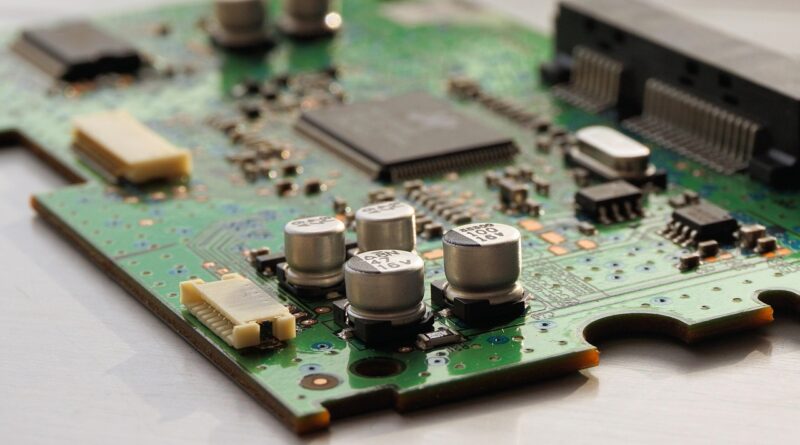
The basic function is straightforward. Components such as resistors, capacitors, connectors, sensors, microcontrollers and power devices are mounted on the board. Copper traces route electricity between them. Insulating material separates circuits that must not touch. Vias connect copper on different layers. Solder mask protects most copper from oxidation and accidental solder bridges, while silkscreen markings identify parts, polarity and test points.
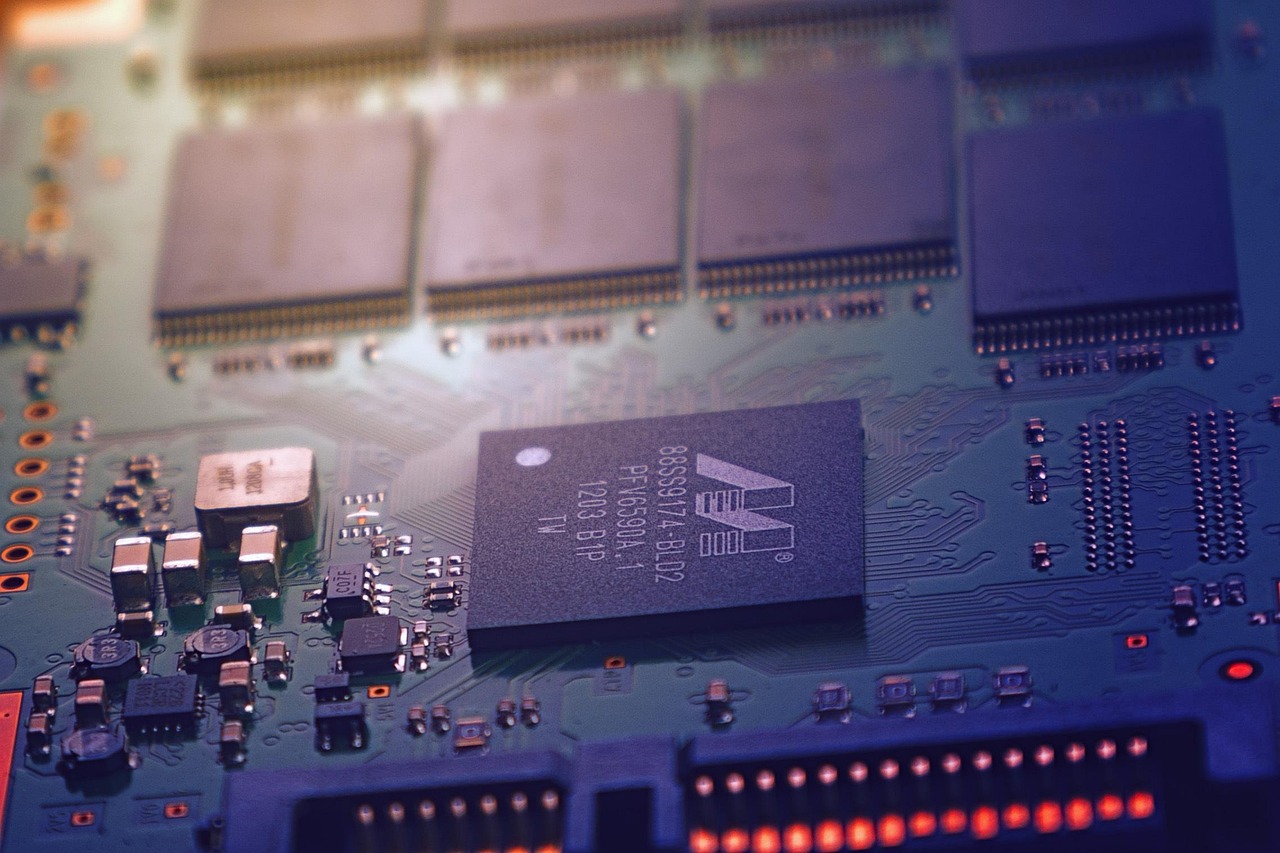
In real products, a PCB is a set of electrical, mechanical, thermal and manufacturing trade-offs. A small wearable device may need a thin flexible board. An industrial power controller may need wider copper, larger spacing and stronger insulation. A high-speed communication board may need controlled impedance and carefully planned ground reference layers. The same word PCB covers all of these cases, so the useful question is not just what a board is, but what the board must do in its end application.
Main layers and materials inside a PCB
Most rigid PCB circuit boards are laminated structures. Copper foil is bonded to insulating material, etched into conductive patterns and, when higher routing density is needed, laminated with additional dielectric layers. The visible green surface on many boards is usually solder mask, not the base material itself. Boards can be made with other solder mask colors, but color normally has little effect on performance unless the project has a specific optical, inspection or branding requirement.
| Element | Main function | Why it matters |
|---|---|---|
| Substrate or core | Provides mechanical support and electrical insulation | Affects stiffness, temperature performance and dimensional stability |
| Copper | Forms traces, pads and planes | Controls current capacity, voltage drop, signal return paths and heat spreading |
| Prepreg | Bonds layers during lamination | Helps define dielectric spacing in multilayer boards |
| Solder mask | Covers and protects copper areas not meant for soldering | Reduces solder bridging and surface contamination risk |
| Surface finish | Protects exposed copper pads before assembly | Influences solderability, shelf life and suitability for fine-pitch components |
| Silkscreen | Adds text, outlines and identifiers | Supports assembly, inspection, troubleshooting and service |
FR-4 glass-reinforced epoxy is widely used for rigid boards because it offers a practical mix of cost, strength and electrical performance. FR-4, however, is not a single universal material. Grades vary in glass transition temperature, loss characteristics, flame performance and suitability for lead-free soldering. High-frequency designs may need lower-loss laminates, while LED lighting and power modules may use metal-core boards to move heat away from components.
Copper thickness is another important design choice. A common finished copper weight is 1 oz per square foot, while power boards may use heavier copper. More copper can lower resistance and improve heat spreading, but it can also increase fabrication cost and limit how fine the manufacturer can etch features. For current capacity, professional designers often refer to IPC-2152, which addresses current-carrying capacity in printed board design.
Common PCB types and where they fit
PCBs are often grouped by construction rather than by end product. A single-sided board has copper on one side only. It is inexpensive and useful for simple circuits, but routing options are limited. A double-sided board has copper on both sides, connected by plated through holes or vias. This construction is common in low-to-medium complexity electronics because it improves routing flexibility without the cost of many internal layers.
Multilayer boards add internal copper layers. These layers may carry signals, power or ground planes. Four-layer boards are common when designers need cleaner return paths, better electromagnetic behavior or denser routing than a two-layer board can provide. More complex products may use six, eight or more layers, especially when high-speed interfaces, memory buses, radio-frequency sections or dense components are involved.
Flexible PCBs use bendable materials so the circuit can fold, wrap or move within a product. They are common in cameras, displays, wearables, medical sensors and compact consumer electronics. Rigid-flex boards combine rigid regions and flexible sections in one structure. They can reduce connectors and cable assemblies, but they require careful mechanical planning and are usually more expensive than standard rigid boards.
Metal-core PCBs use an aluminum or copper base to conduct heat away from power components. They are often used in LED lighting, power conversion and motor control applications where thermal performance is a central requirement. High-density interconnect boards, usually called HDI boards, use finer traces, smaller vias and sometimes microvias to support compact designs such as smartphones and advanced modules.
How a PCB moves from schematic to finished assembly
A PCB starts with a circuit schematic. The schematic defines the electrical connections between components, but it does not yet define physical position, trace width, layer structure or manufacturability. PCB layout turns that schematic into an actual board design. Designers place components, route traces, assign power and ground areas, define holes, add keep-out zones and prepare fabrication data.
Fabricators typically need a manufacturing file package that includes Gerber or ODB++ data, drill files, a board outline, layer stackup notes, copper weights, material requirements, surface finish and tolerances. Assemblers also need a bill of materials, centroid or pick-and-place data, polarity information and assembly drawings. Clear documentation matters because many PCB defects do not come from one obvious design error. They come from missing details at the handoff between design, fabrication and assembly.
After fabrication, the bare board is inspected and tested before components are mounted. Electrical testing can detect open circuits and shorts. Visual and dimensional inspection checks items such as registration, solder mask alignment and hole quality. During assembly, solder paste is printed onto pads, surface-mount parts are placed, and the board goes through reflow soldering. Through-hole components may be wave soldered, selective soldered or hand soldered depending on the design and production volume.
The final printed circuit board assembly may then go through functional testing, programming, conformal coating, cleaning, burn-in or reliability screening. Not every product needs every step. A prototype sensor board and an automotive control module will not carry the same qualification burden. The main point for buyers and engineers is that PCB design choices made early can simplify, or complicate, every later stage.
Design rules that affect reliability and cost
Trace width, current and temperature rise
Trace width is not only a routing detail. It affects resistance, voltage drop and heat generation. Higher current usually requires wider traces, heavier copper, parallel copper pours or thermal vias. IPC-2152 is commonly referenced for current-carrying capacity because temperature rise depends on copper thickness, trace geometry, board construction and surrounding conditions. A rule of thumb may help during early planning, but a production design should be checked against the actual stackup and thermal environment.
Spacing, insulation and voltage
Clearance and creepage become critical as voltage increases. Clearance is the shortest air path between conductors, while creepage is the path along an insulating surface. Pollution degree, altitude, coating, material group and regulatory requirements can all change the required spacing. This is why a low-voltage logic board can use much tighter spacing than a mains-powered power supply. IPC design guidance, UL requirements and product safety standards may all be relevant depending on the end application.
Stackup and return paths
In high-speed and mixed-signal boards, the return path is as important as the signal trace. A trace over a continuous ground plane has a more predictable electromagnetic environment than a trace crossing plane splits or noisy power areas. Good stackup planning can reduce emissions, improve signal integrity and make the design easier to debug. Poor stackup choices often appear later as intermittent failures, radio-frequency noise or failed compliance testing.
Design for manufacturing
Cost is strongly shaped by manufacturability. Very fine trace spacing, tiny drill sizes, blind vias, buried vias, thick copper, unusual materials and tight tolerances can be necessary, but each choice should have a clear reason. If a design can meet its requirements with standard hole sizes, common materials and a moderate layer count, it will usually be easier to quote, fabricate and scale. Good design for manufacturing also includes panelization, fiducials, solder mask expansion, component spacing, test access and clear polarity markings. See also: Gadgets.
Standards and compliance references buyers should know
Several standards and regulatory frameworks appear repeatedly in PCB projects. IPC-2221B is widely used as a generic design reference for printed board design. IPC-6012F addresses qualification and performance requirements for rigid printed boards. IPC-A-600K provides acceptability criteria for printed boards, while IPC-7351B covers generic requirements for surface-mount land pattern design. These documents are not interchangeable; they support different parts of design, qualification, inspection and assembly preparation.
UL 796 is another important reference for printed wiring boards used as components in devices and appliances. It is commonly associated with safety evaluation of board constructions, materials and related manufacturing controls. For products sold in regulated markets, board safety cannot be separated from finished-product compliance, but using a board construction aligned with the required safety path can reduce later compliance risk.
Environmental compliance may also affect PCB materials and finishes. The EU RoHS framework, formally Directive 2011/65/EU and later amendments, restricts certain hazardous substances in electrical and electronic equipment. Public European Commission and ECHA materials identify ten restricted substance groups, including lead, cadmium, mercury, hexavalent chromium, PBB, PBDE and four phthalates. For a PCB buyer, RoHS compliance is not just a label on the board; it usually requires documentation covering materials, finishes, solder and assembled components.
These references do not replace engineering judgment. A hobby prototype, a medical device, a power supply, a satellite subsystem and a household appliance face different risk levels. The practical approach is to define the product category, market, voltage, operating environment and expected lifetime before deciding which standards and evidence are required.
How to choose the right PCB for a project
Choosing a PCB circuit board starts with requirements, not with the lowest fabrication quote. The first questions should be electrical: voltage, current, frequency, noise sensitivity, impedance control and isolation. Next come mechanical constraints: board size, thickness, connector locations, enclosure fit, mounting holes, bending needs and vibration exposure. Thermal requirements follow closely because heat can reduce component life and push materials beyond their intended operating range.
Production volume also changes the decision. For prototypes, speed and flexibility may matter more than unit cost. For mass production, yield, test access, panel efficiency and supply consistency become more important. A two-layer prototype that works on the bench may still need redesign before it becomes a robust production board if it lacks test points, has marginal spacing or depends on unusual manual assembly steps.
- Use two-layer boards for simple, low-speed circuits when routing and noise margins allow.
- Consider four-layer boards when ground reference, power distribution or electromagnetic performance matters.
- Use flexible or rigid-flex construction only when mechanical movement, folding or connector reduction justifies the added design effort.
- Select heavier copper or metal-core construction when current and heat are central design constraints.
- Request clear fabrication notes, stackup details and compliance documentation before approving production.
A useful selection checklist includes layer count, board dimensions, base material, copper weight, minimum trace and space, minimum drill size, surface finish, solder mask color, impedance requirements, controlled depth milling, special tolerances, RoHS status and inspection class. The more clearly these items are defined, the less room there is for assumptions between designer, fabricator and assembler.
Common mistakes to avoid
One common mistake is treating the PCB as a passive container for components. In practice, the board becomes part of the circuit. Long return loops can create noise, narrow power traces can cause voltage drop, poor thermal layout can overheat components, and missing test points can make failures expensive to diagnose. Another mistake is copying a layout rule from a previous design without checking whether voltage, current, material or assembly process has changed.
Overdesign can be costly as well. Adding extra layers, blind vias or exotic materials without a real requirement may improve the design on paper but hurt manufacturability and sourcing. The better goal is controlled design margin: enough spacing, copper, thermal capacity and documentation to meet the product requirement, without unnecessary complexity.
Finally, do not leave compliance until the end. If a board must support UL evaluation, RoHS documentation, product safety testing or electromagnetic compatibility work, those requirements should influence material selection and layout early. Late compliance fixes often require board respins, not just paperwork.
Frequently asked questions
Is a PCB the same as a circuit board?
In everyday electronics language, yes. PCB means printed circuit board, and circuit board is the common shorter phrase. Strictly speaking, PCB refers to the bare board before components are assembled, while PCBA means printed circuit board assembly after components have been mounted.
Why are many PCB boards green?
The green color usually comes from solder mask. Green became common because it works well with visual inspection and manufacturing processes, but many boards are also made in black, blue, red, white or other colors. Color should not be used as a shortcut for judging quality.
How many layers does a PCB need?
Simple circuits may work on one or two layers. Boards that need better grounding, denser routing, controlled impedance or improved electromagnetic behavior often use four or more layers. The right layer count depends on electrical performance, component density, board size and cost targets.
What makes a PCB expensive?
Major cost drivers include high layer count, very fine traces and spaces, small drill sizes, blind or buried vias, tight tolerances, heavy copper, special laminates, controlled impedance, unusual surface finishes and demanding inspection requirements. Assembly complexity can also exceed the cost of the bare board.
Can a PCB be repaired?
Some PCB assemblies can be repaired by replacing components, cleaning corrosion, adding jumpers or repairing damaged pads. However, multilayer internal damage, carbonized insulation, severe delamination or safety-critical failures may make replacement safer and more economical than repair.