Is a Home Smart Setup Worth It for Safety, Comfort, and Energy Savings?
Why Does a Home Smart Setup Matter Now?
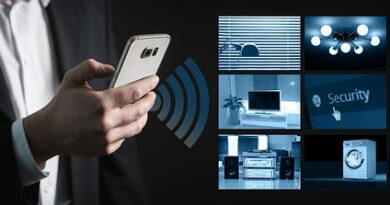
A home smart setup works best when it fixes normal daily issues, not when it makes the house feel like a display booth. If you are checking locks, lights, cameras, thermostats, sensors, and speakers, start with the way people already use the home. The Smart Home category can help you look at devices that fit real rooms, real wiring, and real family routines.
Public data shows that connected home products are no longer just a small hobby market. Pew Research Center reported from a February 2026 U.S. adult survey that 35% said they had a smart speaker, 18% had a smart doorbell, 13% had a robot vacuum, and 11% had a smart thermostat with AI features. The point is easy to see: buyers are moving from one-off fun devices to useful home systems, but many homes still need better product choices. (pewresearch.org)

Daily Comfort Without Extra Taps
The best smart home device is often the one people stop thinking about. A hallway light turns on at 20% after midnight, and a thermostat turns down when everyone leaves. A robot vacuum skips the playroom on Saturday because small plastic bricks on the floor are not something it should meet. These are not showy tricks, but they take small chores out of the day.
Safer Routines for Doors, Cameras, and Lights
Smart locks, contact sensors, video doorbells, and motion lighting give quick answers when nobody wants to guess. Did the side door close? Is the package still there? Did the garage stay open after school drop-off? A good setup sends clear alerts and cuts the useless ones, because too many alerts soon get ignored like a car alarm in a parking lot.
Real Energy Savings From Heating and Cooling
Energy is where smart devices can shift from nice to have into something you can measure. ENERGY STAR says the average American household spends almost half of its annual energy bill on heating and cooling, more than $900 a year. Its certified smart thermostats use field data and, on average, save about 8% on heating and cooling bills, or roughly $50 per year. That is not a huge promise, but it is a real number buyers can check. (energystar.gov) (energystar.gov)
Which Devices Should Come First?
The right first device depends on the main problem at home. Renters may start with plug-in lamps and voice control. Homeowners with high utility bills may start with a thermostat. Families with frequent deliveries may care more about a doorbell camera. It is better not to buy a full cart of devices in one weekend, because a slow build usually leaves you with a cleaner system.
Smart Speakers and Displays as Simple Control Points
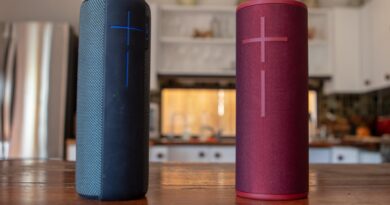
A smart speaker or display gives the home one shared control point. It can set timers, show cameras, turn off lights, and run scenes. Guests can also use it if the commands are simple. Keep names short, because “Kitchen Light” works better than “First Floor Ceiling Fixture Group Two.” In daily use, the plain name wins.
Smart Lighting for Visible Wins
Smart bulbs, switches, and dimmers show results fast. Put them where timing and brightness matter, such as the porch, hallway, nursery, stair landing, garage, and bedside lamps. If one wall switch controls several bulbs, a smart switch may be a better choice than several smart bulbs. It also keeps the room usable when someone flips the switch out of habit.
Smart Thermostats for Bigger Bills
A smart thermostat makes sense when the HVAC system is compatible and the weekly schedule changes. ENERGY STAR’s certification method looks at real installations, not only lab claims, which matters because thermostat savings depend on climate, occupancy, comfort settings, and equipment type. If people are home all day, savings may be lower. Even then, remote control and alerts can still help with daily use and service issues.
How Should You Pick Products That Work Together?
Compatibility is the part of smart home buying that often causes trouble. A device can look good on the box and still be hard to use if it only works with one app, needs a hub you do not own, or drops offline far from the router. Before buying, check the ecosystem, wireless protocol, power needs, and whether the brand gives clear support information.
Matter Support for Mixed Ecosystems
Matter matters because it is built to reduce platform lock-in. The Connectivity Standards Alliance announced Matter 1.6 on June 17, 2026, with updates for setup, multi-ecosystem device sharing, and context-based control. One useful example is NFC-based commissioning, where certain devices can be set up by holding a phone near them, even before final installation. That helps with ceiling fixtures and in-wall products that are hard to scan after they are installed. (csa-iot.org)
Wi-Fi, Thread, Zigbee, and Bluetooth Roles
Wi-Fi is common and easy to understand, but too many low-cost Wi-Fi devices can overload a weak router. Thread and Zigbee are often used for sensors, bulbs, and switches because they use less power and can build mesh networks. Bluetooth is usually used for setup or nearby control. You do not need to be a radio engineer. Still, you should know whether a product needs a hub, a border router, or only your existing Wi-Fi.
App Quality and Local Controls
Good hardware can feel poor if the app is hard to use. Look for simple schedules, clear device sharing, fast firmware updates, and local control where possible. Local control can keep basic routines working when the internet is down. This may sound like a small point. It matters when a storm cuts the connection and the hallway light still works the way it should.
What Makes a Home Smart System Secure Enough?
Security is not one setting you switch on and forget. It comes from small habits: strong router settings, unique passwords, updates, account controls, and sensible camera placement. NIST IR 8425, published in September 2022, describes baseline cybersecurity capabilities for consumer IoT products and treats the full product, not just the device, as part of the risk picture. That includes apps, cloud services, and supporting components. (csrc.nist.gov)
Router Settings Are the Front Door
Your router is the front door for most connected devices. Use WPA3 or WPA2 encryption, change the default admin login, and give the network a name that does not show your address or router brand. A guest network or separate IoT network can also limit damage if a cheap device acts badly. The FTC gives similar advice for connected home devices and says to secure the router first. (consumer.ftc.gov)
Update Windows Matter More Than Fancy Features
Long-term software support should be checked before buying, not after installation. In November 2024, FTC staff reviewed 184 smart products and found nearly 89% did not clearly disclose how long they would receive software updates. That creates a real problem for buyers. A smart lock that stops getting security updates is not the same as an old toaster. (ftc.gov)
Account Protection and Device Sharing
Use unique passwords and multi-factor authentication for major smart home accounts. Share access with care. A neighbor who waters plants may need temporary lock access, not full control of cameras and alarm settings. When a roommate moves out or a contractor finishes work, remove old permissions. It takes two minutes, which is still faster than hunting for the tiny reset pin on an old hub. See also: Gadgets.
How Can You Plan a Room-by-Room Installation?
A room-by-room plan keeps the system useful. It also helps avoid buying the same function twice. Walk through the home in the morning, evening, and late night. Note where people touch switches, adjust temperature, check locks, or look for a phone charger. Those moments usually show where automation will help.
Entryway Automation for Coming and Going
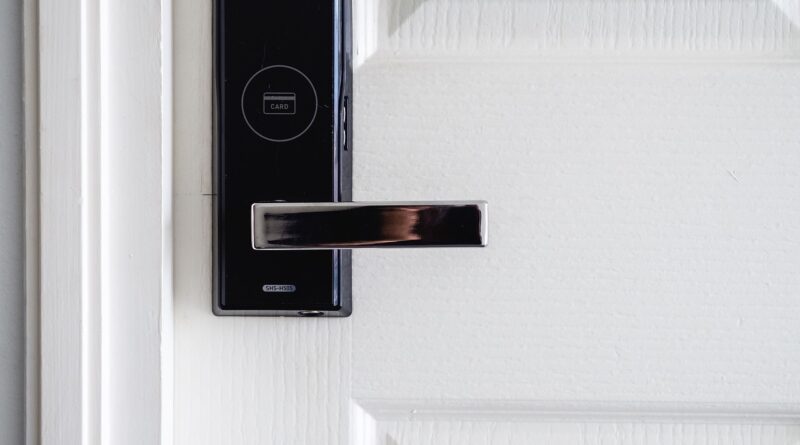
The entryway is a good first zone. Pair a smart lock with a door sensor, porch light, and optional video doorbell. A simple routine might turn on the porch light at sunset, lock the door at 10:30 p.m., and send an alert if the door stays open for five minutes. Keep unlock automation conservative. Convenience should not run ahead of safety.
Kitchen and Living Room Scenes
Kitchens and living rooms often work well with scenes. “Dinner” can set warmer lighting and turn off the TV. “Movie” can dim lamps and close shades if you have them. Put smart plugs on lamps, not on appliances with heating elements unless the product is designed for that use. Nobody wants a coffee maker surprise at 2 a.m.
Bedroom Comfort Without Annoying Alerts
Bedrooms need quiet settings. Use low-brightness motion lighting, soft thermostat schedules, and fewer notifications. If you use cameras, keep them out of private sleeping spaces. A contact sensor on a child’s exterior window can make sense, but a camera facing a bed usually does not. Smart living should feel comfortable, not watched.
What Should You Check Before You Buy?
A good purchase checklist saves returns, electrician visits, and app clutter. Read the plain details before ordering: wiring, voltage, neutral wire requirements, HVAC compatibility, hub requirements, privacy settings, and update policy. If a product page hides basic support information, treat that as a warning sign.
Compatibility With Existing Wiring and HVAC
Smart switches often need a neutral wire. Older homes may not have one in every box. Smart thermostats may need a C-wire or adapter. Doorbells may need the right transformer voltage. Before buying, remove a switch plate only if you can do so safely. Take a photo of the thermostat wiring and confirm the model on the manufacturer’s compatibility tool.
Long-Term Support and Replacement Cost
A low price can be fine for a lamp plug, but it is risky for locks, cameras, thermostats, and garage controls. Ask how long the brand has sold the product line. Check whether it posts firmware notes and whether spare parts exist. Also check what happens if the cloud service ends. A device that becomes useless without one server is a gamble.
A Short Buying Checklist
Run through this quick checklist before placing the order. It can catch common mistakes before the box is opened.
- Does it work with your main phone platform and voice assistant?
- Does it support Matter, Thread, Zigbee, or the hub you already own?
- Does the product page state update support or security details?
- Can you still control basic functions manually?
- Is the device rated for the location, such as outdoor weather or damp areas?
- Does the brand provide clear setup guides and reset steps?
A home smart system should make the house easier to live in. Start with one problem, choose devices that work together, secure the network, and build at a steady pace. Then the setup feels less like a pile of electronics and more like a home that quietly helps.
FAQ
Q1: What Is the Best First Device for a Home Smart Setup? A: For most people, smart lighting or a smart speaker is the easiest start. If heating and cooling bills are high, a compatible smart thermostat may bring more value.
Q2: Do Smart Home Devices Need the Internet All the Time? A: Many features need the internet, especially remote control and cloud alerts. Some hubs, switches, and Matter devices can keep basic local control working when the internet is down.
Q3: Is Matter Required for Every Smart Home Product? A: No. Matter is helpful for mixed ecosystems, but many solid devices still use Wi-Fi, Zigbee, Thread, or brand hubs. Buy for compatibility with your setup first.
Q4: How Can You Keep Smart Cameras More Private? A: Place cameras in public or exterior areas, use strong passwords, turn on multi-factor authentication, update firmware, and review shared users often.
Q5: Are Cheap Smart Devices Worth Buying? A: Cheap devices can be fine for simple lights or plugs, but be more careful with locks, cameras, thermostats, and garage controls. Support, safety, and updates matter more there.