Is Google Smart Home the Best Choice for a Smarter House in 2026?
Is Google Smart Home Still a Good Choice in 2026?
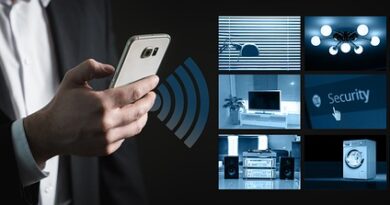
If you are planning a google smart home, the point is not to pack every room with devices. The point is to make normal jobs easier: lights that turn on and off when they should, a thermostat that does not waste power, a door lock you can check from the sofa, and routines that run without a fight. For more buying guides in this category, visit the Smart Home section.
One App for Daily Control
Google Home makes the most sense when you want one place for basic control. You can group devices by room, use voice control, set simple automations, and check supported cameras or locks from the Home app. It sounds like a small thing, but it matters at 11:30 p.m. when you just want the downstairs lights off and do not want to open four brand apps.

Matter Support Changes the Buying Rules
Google says Matter is made to help devices from different brands work together, and its public compatibility page lists Matter support across categories such as lights, switches, plugs, thermostats, locks, garage door controllers, smoke and CO alarms, blinds, media devices, sensors, hubs, and bridges. Even so, many Matter setups still need a compatible hub, so the badge on the box is not the full check. Before buying, it is worth reading the hub requirement and the supported function list. (home.google.com)
A Good Fit for Mixed Brands
The market is no longer only for early hobby users. A Parks Associates and Cardinal Peak paper published in 2026 reports that 45%, or 54 million, U.S. internet households own at least one smart home device, up from 10% in 2014. Smart home device owners averaged 6.5 devices, compared with 3.5 in 2016. That creates a common issue we see in many homes: people buy devices at different times, from different brands, often during different sales. A Google-based setup can help connect that mix in one place. (cardinalpeak.com)
Which Devices Should You Buy First?
A good setup starts with plain choices. Plain is useful here. The best first devices are the ones you use every day, or the ones that remove a repeated small problem.
Smart Speakers and Displays as Control Points
A Nest speaker or display can work as a voice control point and, depending on the model, a hub for supported smart home connections. Put it where commands happen in real life, such as the kitchen, entryway, bedroom, or living room. A display also helps when you want to view a camera feed, change a thermostat setting, or tap a routine without searching for your phone.
Lights, Plugs, and Switches for Quick Wins
Smart lights and plugs are still the easiest first purchases for most buyers. A plug can control a floor lamp, fan, coffee corner, or holiday light string. Smart switches look cleaner for ceiling lights, but they may need a neutral wire and proper electrical work. For rentals, bulbs and plugs are usually the safer and simpler route.
Thermostats, Locks, and Sensors for Higher Value
Thermostats, locks, and leak sensors cost more, but they handle bigger household problems. A thermostat can reduce waste when nobody is home. A lock can remove the “Did the door lock?” worry when you are already in bed or away from the house. A leak sensor near a water heater or washing machine is not exciting, but it can catch a small issue before it turns into an expensive repair.
How Does Matter Make Google Smart Home Easier?
Matter is not a cure-all, and it does not make every feature the same in every app. It does give buyers a better chance of building a system that can handle brand changes, app updates, and the slow build-up of devices over the years.
Local Control Can Feel Faster
Google’s developer documentation describes Matter as an IP-based local connectivity protocol with lower latency and higher reliability than cloud-to-cloud connections. In simple terms, supported commands can move inside the home network instead of always going through a longer cloud route. Your router, device firmware, and hub still affect the result, so low-cost hardware can still feel limited. (developers.home.google.com)
Thread Helps Low Power Devices
Thread is useful for small, low-power products such as sensors, buttons, and some locks. These devices can build a mesh network, which may improve coverage in homes with thick walls, long hallways, or odd corners. To use Thread devices with Google Home, check that your hub supports Thread border router functions before buying a sensor pack on sale. That check can save a return later.
Multi Admin Reduces Platform Lock In
The Connectivity Standards Alliance announced Matter 1.4 in November 2024 with Enhanced Multi-Admin, more capable home network infrastructure, and new energy management device types. The idea is direct: one Matter device should be easier to share across ecosystems. The catch is rollout speed, because device makers and platforms do not all support every new feature on day one. If a certain feature matters to you, check the live support page instead of trusting only the Matter version number. (csa-iot.org)
Can Google Smart Home Save Energy?
Energy savings depend on climate, home size, insulation, behavior, and the devices you choose. A smart home will not fix a drafty window. Still, good schedules and clearer usage information can cut waste without making daily life complicated.
Thermostat Savings Need Real Habits
ENERGY STAR states that smart thermostat savings average about 8% of heating and cooling bills, or about $50 per year, while warning that results vary by region, HVAC equipment, and home characteristics. That is the right way to read the number. Use it as a working estimate, not as a promise on the package. The final result still depends on how people in the house use heating and cooling. (energystar.gov)
Plugs and Schedules Cut Small Waste
Smart plugs are useful for small routines, such as turning off a lamp at sunrise, cutting power to a decorative light at midnight, or shutting down a fan when a room is empty. The savings may not be large, but the comfort and habit control can be useful. Also, nobody wants to argue with a lamp before coffee.
Energy Management Is Moving Beyond Thermostats
The smart home energy area is now moving into heat pumps, water heaters, batteries, solar equipment, and EV charging. For a Google Smart Home buyer, the practical step is to choose products with clear Matter or Works with Google Home support. After that, check which features the Home app actually shows and controls, because support on paper and support in daily use are not always the same. See also: Gadgets.
What Security Rules Should You Follow?
Every connected device adds convenience, but it also adds another account, password, update cycle, and data path. Security does not need to be scary. It does need to be part of the buying decision.
Buy Devices With Clear Update Policies
NIST IR 8425, published in September 2022, identifies cybersecurity capabilities commonly needed for consumer IoT products and treats the whole product as the security target, not only the physical device. Before buying, look for update support, account protection, reset instructions, and a real company website. A no-name camera with no update history is rarely a bargain, even if the price looks good. If the seller cannot explain updates, it is better to choose another device. (csrc.nist.gov)
Keep Your Home Network Clean
Use a strong Wi-Fi password, update your router, and remove old devices from the Home app when they leave the house. If your router offers a guest or IoT network, it can help keep smart products away from laptops and work devices. This is not advanced security work. It is basic housekeeping, and it prevents many simple problems.
Share Access With Care
Be careful with shared access for locks, cameras, and garage doors. Give each person their own account or code when possible, and remove access when it is no longer needed. Temporary codes are better than texting the same permanent PIN to five people. This also makes it easier to see who used the device if something goes wrong.
How Should You Set Up a Google Smart Home Without Regrets?
The best setup plan is plain on purpose: map the rooms, check the badges, keep manual controls, and leave space for later devices. A little patience at the start saves a lot of app-tapping later.
Plan by Room, Not by Gadget
Start with one room and one problem. For example, in a bedroom, you may want a bedside voice command, two dimmable lamps, and a morning routine. In an entryway, you may want a lock, doorbell, and contact sensor. Planning by room keeps the system useful instead of messy, because every device has a clear job.
Check Compatibility Before Checkout
Look for Works with Google Home, Matter, Thread, Wi-Fi, and hub requirements before buying. Read the small print for regional support as well. Some features work in one country, one language, or one app version before they reach others. It is annoying, but checking first is still better than returning a device later.
Keep Manual Controls Available
A smart home should not trap you inside an app. Wall switches, physical buttons, key access, and normal thermostat controls still matter. Guests, kids, older family members, and tired people all benefit from controls that make sense without a phone. If the internet drops or a phone battery dies, the house should still be easy to use.
FAQ
Q1: Do You Need a Google Nest Hub for a Google Smart Home? A: Not always, but a compatible hub is needed for many Matter and Thread setups. Check the device requirements before buying.
Q2: Is Matter Better Than Works With Google Home? A: Matter is better for cross-brand compatibility, while Works with Google Home can still offer strong app features. Many homes use both.
Q3: Can Google Smart Home Work Without Internet? A: Some local Matter actions may still work when the internet drops, but cloud features, remote control, voice services, and many cameras usually need internet.
Q4: What Is the Best First Device to Buy? A: For most people, a smart plug, smart bulb, or speaker is the easiest start. For higher value, consider a thermostat, lock, or leak sensor.
Q5: How Many Devices Should You Add at Once? A: Add two or three devices, test them for a week, then expand. A slow setup is easier to fix and much less frustrating.