How to choose a smart home kit that stays compatible over time
What a smart home kit should solve first
A smart home kit should make everyday routines easier without locking every device into a narrow ecosystem. Start with one main control platform, then choose devices that match the home’s actual needs: lighting, plugs, sensors, climate control, access, cameras or energy monitoring. For most buyers, compatibility now matters as much as hardware quality. Look for Matter support where it is relevant, a controller or hub that can manage your devices locally, clear firmware update policies and privacy settings that are easy to understand. A cheap bundle can become expensive if it later requires extra bridges, subscriptions or replacement devices. For more connected-device coverage, visit our Smart Home section.
The key question is not which smart home kit includes the most items. It is whether the kit can grow in a predictable way. A good starter kit should let you add another room, share control with another household member, change phones, replace a router and connect future devices without rebuilding the whole setup.

The compatibility question now starts with Matter
Matter has changed how buyers should evaluate a smart home kit. The Connectivity Standards Alliance released Matter 1.0 and its certification program on October 4, 2022. Since then, the standard has moved beyond the first wave of lights, plugs, sensors and controllers. Matter 1.5, announced on November 20, 2025, added support for cameras, closures, soil sensors and expanded energy management features. Matter 1.5.1, announced on March 31, 2026, focused on camera and doorbell improvements. Matter 1.6, announced on June 17, 2026, emphasized easier setup, multi-ecosystem control and better device status communication.
Those dates matter because a product box may say “Matter” while still supporting only certain device types or features. A Matter-enabled plug and a Matter-enabled camera raise different setup, bandwidth and privacy questions. A feature appearing in the standard also does not mean every brand, app or voice assistant will support it on the same day. Device makers and platform companies roll out support on their own schedules.
What Matter helps with
Matter is useful when you want devices from different brands to appear in major smart home ecosystems with less dependence on custom integrations. It is especially helpful for basic control tasks such as turning devices on or off, dimming lights, reading sensor states and sharing supported devices between platforms. For a new buyer, Matter can reduce the risk of choosing a device that works only with one app.
What Matter does not guarantee
Matter does not guarantee that every advanced feature will work everywhere. Brand-specific lighting effects, camera storage plans, energy dashboards, alarm modes or advanced thermostat logic may still depend on the manufacturer’s own app or cloud service. Before buying a smart home kit, check the exact Matter device type, the controller requirements and whether your preferred ecosystem supports the features you expect to use.
The core parts of a practical starter kit
A reliable kit usually starts small. The right first purchase is not necessarily a large bundle with many sensors. It is a group of devices that solves one or two clear use cases and gives you a foundation for future expansion.
| Kit component | Why it matters | What to check before buying |
|---|---|---|
| Controller or hub | Acts as the main control point for automations, remote access and device management. | Confirm support for your preferred ecosystem, Matter and any required radios such as Thread, Zigbee or Z-Wave. |
| Thread border router | Connects Thread devices to the home network and is important for many low-power sensors. | Check whether it is built into your speaker, display, router or hub instead of assuming every controller includes it. |
| Smart plugs | Offer a low-risk way to automate lamps, fans and small appliances. | Verify load rating, energy monitoring if needed and whether the plug blocks adjacent outlets. |
| Smart bulbs or switches | Provide the most visible convenience improvement in many homes. | Decide whether you want bulbs, wall switches or both. Switches are often better for shared rooms. |
| Contact and motion sensors | Trigger automations and notifications for doors, windows, rooms and cabinets. | Check battery type, expected replacement process and whether the sensor needs a separate hub. |
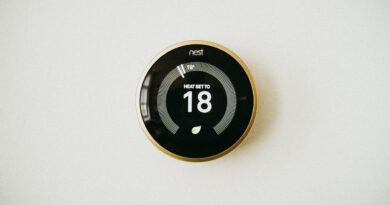
| Thermostat | Can improve comfort routines and coordinate with occupancy or schedule settings. | Confirm HVAC compatibility before purchase; wiring requirements vary widely. |
| Camera or video doorbell | Adds visual monitoring but also increases privacy, storage and bandwidth demands. | Review local storage options, subscription requirements, recording zones, encryption and household consent. |
If you are buying your first smart home kit, a controller, two or three lights or plugs and one or two sensors is often enough to test whether the ecosystem suits the household. Larger systems are easier to build after you know how the app handles naming, rooms, users, notifications and device recovery.
Build around jobs, not gadgets
The strongest smart home setups start with a job to be done. “Make the hallway safer at night” is a clearer goal than “buy smart bulbs.” “Know whether the garage door is open” is more useful than “install sensors everywhere.” This approach keeps the kit focused and reduces wasted devices.
Convenience kit
For convenience, start with smart lighting, plugs and simple scenes. A useful first automation might turn on entry lights after sunset when a door opens. Another might turn off selected devices when everyone leaves. Keep manual control available. Wall switches, physical buttons and household-friendly naming matter because not every user wants to rely on an app or voice command.
Security awareness kit
For awareness rather than professional security monitoring, prioritize contact sensors, motion sensors, cameras only where appropriate and reliable notifications. Do not treat a consumer smart home kit as a replacement for a certified alarm system unless it is explicitly designed and monitored for that purpose. Cameras should be placed with privacy in mind, especially in shared living spaces or rental properties.
Energy and comfort kit
For comfort and energy-related routines, consider a thermostat, smart plugs with energy reporting and sensors that detect occupancy or open windows. Matter’s recent energy-management work is relevant here, but buyers should still check which features their chosen platform exposes. Energy data is useful only if the app presents it clearly and lets you act on it.
Security and privacy are part of the product
A smart home kit is also an IoT security decision. NIST’s September 2022 consumer IoT baseline describes cybersecurity outcomes for the whole IoT product, not just the device hardware. That distinction is important because a kit usually includes firmware, mobile apps, cloud services, account systems and sometimes gateways. A secure-looking device can still create risk if its app, update process or account controls are weak.
In the United States, the FCC adopted rules for a voluntary cybersecurity labeling program for wireless IoT products on March 14, 2024. The FCC IoT Label, also known through the Cyber Trust Mark program, is intended to indicate that a labeled product meets baseline cybersecurity requirements and links consumers to more detailed registry information through a QR code. Because the program is voluntary, absence of the mark does not automatically mean a device is unsafe. Still, cybersecurity information is becoming a more visible buying factor for connected products.
Before buying a smart home kit, review these security basics: See also: Gadgets.
- Does the manufacturer state how long it will provide software or firmware updates?
- Can you enable two-factor authentication for the account?
- Can devices be removed, reset and transferred cleanly if you move home or sell them?
- Does the app explain what data is collected and whether cloud storage is optional?
- Can cameras, microphones or remote access features be disabled when not needed?
- Does your router support strong encryption, unique admin credentials and a guest or IoT network?
The FTC’s consumer guidance also emphasizes router security, including changing default settings, enabling encryption, keeping software updated and disabling features that are not in use. Those steps are not exciting, but they often matter more than adding another sensor.
Costs that are easy to miss
The sticker price of a smart home kit may not show the full cost. Some devices work best only with a subscription. Cameras may charge for cloud recording, person detection or longer video history. Security systems may require monitoring fees. A thermostat may need professional installation if the wiring is complex. A doorbell may need a chime module, transformer upgrade or mounting accessory.
There are also ecosystem costs. A kit built around one brand’s hub may be inexpensive at first but less flexible if you later want devices from another brand. A kit built around Wi-Fi devices may avoid a hub but increase the number of clients on the router. A kit built around Thread, Zigbee or Z-Wave may be more efficient for sensors but usually depends on a compatible controller. None of these options is universally right. The better choice depends on home size, wall layout, router quality, device count and the level of local control you want.
A buying checklist for a smart home kit
Use this checklist before purchasing, especially when a bundle looks heavily discounted.
| Question | Why it matters | Possible red flag |
|---|---|---|
| Which ecosystem will control it? | The main app affects setup, sharing, automations and daily use. | The box lists many logos, but the feature you need works in only one app. |
| Is Matter support included and certified? | Matter can improve cross-brand compatibility. | The listing uses vague wording such as “Matter ready” without a clear update path. |
| Do I need Thread, Zigbee or Z-Wave? | Low-power sensors often depend on a compatible radio or hub. | You buy sensors first and later discover that the required hub was not included. |
| What happens if the internet is down? | Local control can keep basic automations working during outages. | Every function depends on cloud access. |
| How are updates handled? | Long-term reliability and security depend on maintenance. | No visible update history or support period is provided. |
| Are subscriptions required? | Recurring fees can exceed the original hardware cost over time. | Important features are advertised but work only after a paid plan begins. |
Setup order matters
Install the foundation before adding devices. Start by updating the router, changing default admin credentials and choosing a clear Wi-Fi name that does not reveal personal information. Then install the main controller or hub and update its firmware. Add devices room by room, giving each one a plain name such as “Hallway motion sensor” or “Bedroom lamp.” Avoid names that sound too similar in voice assistants.
Next, create a few basic automations and test failure cases. What happens if someone turns off the wall switch? What happens if the internet goes down? Can another household member control the same devices? Can you silence unnecessary notifications? A good smart home kit should reduce attention, not create a stream of alerts that people eventually ignore.
Finally, document the system. Keep a simple list of devices, batteries, hubs, reset steps and account ownership. This is especially useful for rentals, family homes and small offices where more than one person may need to maintain the setup.
Frequently asked questions
Is a smart home kit better than buying separate devices?
A kit is better when the included devices match one clear use case and share the controller or radio you need. Buying separately is often better if you already know your preferred ecosystem or want to mix brands with Matter support.
Do I still need a hub if devices support Matter?
Sometimes yes. Matter needs a controller, and Thread devices need a Thread border router. Some speakers, displays, routers and hubs include these functions, but not all of them do. Always check the exact model.
Should a first smart home kit include cameras?
Not always. Cameras can be useful, but they add privacy, storage, bandwidth and subscription questions. For many homes, lights, plugs and sensors are a simpler first step. Add cameras only where they solve a specific monitoring need.
Can a smart home kit work in a rental?
Yes, but choose removable devices such as plugs, bulbs, battery sensors and freestanding cameras. Avoid hardwired switches, doorbells or thermostats unless the lease and property owner allow installation.
What is the safest way to expand later?
Expand one room or use case at a time. Keep using devices that support your main ecosystem, prefer certified standards where appropriate and avoid adding products with unclear update policies or mandatory cloud features you do not need.