Which Consumer Electronics Gadgets Are Worth Buying in 2026?
What Makes Consumer Electronics Gadgets Worth Buying in 2026?
Choosing consumer electronics gadgets in 2026 is not only about picking up the newest screen, speaker, charger, or wearable. The product still has to fix a real problem, work with the devices you already use, and stay useful after the first few weeks. If a gadget ends up sitting in a drawer, it was not a good buy, no matter how good the launch video looked.
The market is still big, but buyers are checking purchases more carefully. The Consumer Technology Association forecast in January 2026 projected United States consumer tech revenue at $565 billion for 2026, up 3.7% year over year. IDC reported in June 2026 that global smartphone shipments fell 2.9% year over year in Q1 2026 to 293.8 million units, which is a reminder that upgrades now need a better reason than habit. Deloitte’s 2025 Connected Consumer survey said United States households spent an average of $896 on connected devices in the prior year, while 9 in 10 surveyed consumers wanted tech companies to do more on privacy and security. The Global E-waste Monitor 2024 reported 62 billion kg of e-waste in 2022, with 22.3% formally collected and recycled. For buyers and sellers, the message is simple: buy with more care, and sell products that can stand up to daily use. (ces.tech)

Real Daily Use
A useful gadget fits into a normal day without asking you to change your whole routine. A compact power bank makes sense if you commute, travel for trade shows, or shoot video on your phone during the day.
A smart plug is useful when it controls lights, fans, or chargers you already use. A small desktop air quality monitor can be worth buying in a closed office, but it is less useful if it only gives you another screen to check.
Long Update Support
Connected gadgets need software care after the sale. Before buying, check the update policy, app history, and whether the brand still supports older models.
This matters for smart cameras, routers, tablets, smart locks, and wearables. If a device depends on an app that has not been updated for a long time, it is better to slow down and compare other options.
Repair and Recycling Fit
Good gadgets should not become waste after a short period of use. Replaceable straps, standard USB-C charging, available batteries, and trade-in options all make ownership easier.
A slightly more expensive device can still be the better buy if you can keep it running for three or four years. Replacing a cheap device after one year often costs more in the end.
Which Consumer Electronics Gadgets Should You Put on Your Shortlist?
A useful shortlist starts with product categories people use every week. In most cases, the better choices are not strange new items. They are known products with better details: phones with longer battery life, earbuds with clearer calls, smart home devices that are easier to set up, and accessories that remove small daily problems.
Smartphones and Mobile Accessories
Smartphones remain the center of most gadget ecosystems. Even when phone shipment growth is uneven, phones still handle payments, cameras, maps, smart home apps, and work messages.
For many buyers, the better upgrade is an accessory, not a new handset. A fast charger, MagSafe-style stand, rugged case, privacy screen, or travel hub can make an existing phone more useful for much less money.
Wearables and Health Tech
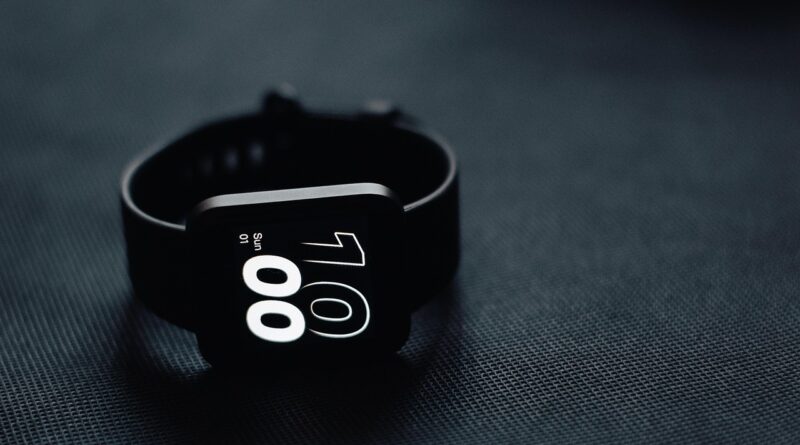
Wearables make sense when they give clear feedback you will actually use. Step counts, sleep trends, heart-rate alerts, and workout tracking are helpful if you check the data and adjust your habits.
Do not pay extra for features you will ignore after one week. For many users, a comfortable band, good battery life, readable screen, and water resistance matter more than a long list of sports modes.
Smart Home and Audio Devices
Smart speakers, earbuds, home cameras, robot vacuums, and portable projectors sell well because they make daily life easier. Even so, setup has to be simple, or buyers will give up quickly.
A smart bulb that needs three apps and keeps resetting is not smart in real use. Audio gadgets also need hands-on checking, because call quality, latency, microphone pickup, and comfort during a two-hour session matter more than heavy bass in a short demo.
How Should You Judge Performance Before You Buy?
Specs can help, but they can also lead buyers the wrong way. A product page may show battery capacity, processor names, or wireless standards, while leaving out the details that affect daily use. Read the numbers with your own habits in mind, then compare products on that basis.
Battery Life in Normal Routines
Battery claims often come from controlled tests. If you use high brightness, noise cancellation, GPS, mobile data, or video recording, the real working time will usually be shorter.
For earbuds, check battery life with noise cancellation on. For power banks, check rated output and actual usable capacity, and for wearables, look at battery life with sleep tracking and notifications enabled.
Compatibility Across Devices
A gadget should work well with the devices you already own. Check operating system support, Bluetooth version, charging standard, app availability, and whether important features only work inside one brand’s ecosystem.
This is especially important for mixed-device households and office teams. A smart tracker that loses half its functions on your phone is not a bargain, even if the price looks good.
Build Quality and Warranty Terms
Small parts often show how the product will perform after months of handling. Hinges, ports, buttons, cable strain relief, water-resistance ratings, and warranty language all deserve attention.
For importers and online sellers, warranty clarity is also part of the sales work. It reduces chat questions, lowers friction before checkout, and helps buyers feel less unsure about the purchase.
Why Do Privacy and Security Matter for Connected Gadgets?
Every connected gadget can become a small doorway into a home network or personal data. That is not scare talk; it is how modern devices work. Cameras see rooms, wearables collect health patterns, speakers listen for wake words, and smart plugs can show daily routines. Security is no longer an extra feature.
Router and Account Protection
The Federal Trade Commission advises users to secure internet-connected home devices by changing default usernames and passwords, using stronger router settings, turning on security features, and updating devices regularly. These are basic steps, but many people skip them during setup because they want the product working right away.
It is worth taking the extra five minutes. A stronger password, a safer router setting, and a quick update can prevent a lot of trouble later. (consumer.ftc.gov)
App Permissions and Data Sharing
Before installing a gadget app, check what it asks to access. A weather station may need location, but a flashlight does not need your contacts. See also: Components.
A fitness device may need health permissions, but you should know where the data goes and how it is used. If the privacy policy is unclear or the app asks for too much, it is safer to choose another product.
Firmware Updates and End-of-Life Dates
Firmware updates fix bugs and close security gaps. For routers, cameras, locks, baby monitors, and smart displays, update support should be part of the buying decision.
If a seller cannot say how long updates will last, treat that as a warning sign. The cheapest device can become risky when fixes stop too early.
How Can You Buy Gadgets That Cost Less Over Time?
The sticker price is only one part of the cost. Accessories, subscriptions, replacement parts, power use, repairs, and resale value all affect the real price. A $29 gadget can be expensive if it breaks fast or needs a paid app. A $120 device can be cheaper over time if it lasts four years and replaces several weaker products.
Total Cost beyond Sticker Price
Look at what you still need to buy after checkout. Does the camera need cloud storage, does the printer need costly cartridges, or does the smart lock need special batteries?
Also check whether the gaming accessory needs a dongle that is easy to lose. Add those costs before comparing models; the math is simple, but it often changes the final choice.
Energy Use and Standby Power
Many small electronics stay plugged in all day. One device may not matter much, but a desk full of chargers, speakers, hubs, monitors, and consoles can still draw power when nobody is using them.
Choose products with auto-sleep modes, physical switches, and clear energy labels where available. Smart power strips can also help in home offices and entertainment setups.
E-Waste and Trade-In Choices
Responsible buying means thinking about the exit before the purchase. Keep boxes only if they help resale, wipe data before trade-in, and use brand recycling programs or local collection points when a device cannot be repaired.
The e-waste data cited earlier shows that formal recycling still lags far behind global gadget turnover. Small decisions at household and retail level will not fix the whole issue, but they do reduce waste one product at a time.
What Should Importers and Online Sellers Watch Closely?
If you sell consumer electronics gadgets across borders, product selection is only part of the job. Trust is the other part. Buyers cannot touch the item before purchase, so your listings, packaging, support, and compliance signals need to answer questions before they turn into returns.
Clear Specs and Local Compliance
List input voltage, plug type, wireless bands, app language, battery capacity, certifications, package contents, and warranty terms. Do not hide compatibility limits in tiny text, because buyers will find them after delivery.
If a device needs a regional app store, say it on the product page. Clear product pages reduce returns and help protect your store reputation.
Packaging That Survives Delivery
Electronics do not handle rough shipping well. Add corner protection, cable separation, battery safety labels where required, and moisture control for longer routes.
A clean unboxing experience also matters. Nobody likes opening a crushed box with a loose adapter rattling inside, and that small detail can affect the review.
After-Sales Support That Reduces Returns
Many returns come from setup confusion, not real defects. Short setup videos, quick-start cards, QR codes for manuals, and plain-language troubleshooting can reduce support pressure.
For smart home products, include reset steps, pairing tips, and router compatibility notes. Buyers appreciate support that sounds human and gets to the point.
FAQ
Q1: What Are the Most Useful Consumer Electronics Gadgets for Everyday Life? A: The most useful choices are smartphones accessories, power banks, earbuds, smart plugs, wearables, chargers, home cameras, and small desktop devices that solve a clear daily problem.
Q2: How Often Should You Upgrade Your Gadgets? A: Upgrade when the device no longer receives updates, battery life hurts daily use, repair costs are too high, or a new model adds a feature you will use often.
Q3: Are Cheap Gadgets Always a Bad Choice? A: No. A simple charger, stand, cable, or smart plug can be a good value if it meets safety standards, has clear specs, and comes from a seller with reliable support.
Q4: What Should You Check Before Buying Smart Home Gadgets? A: Check app support, Wi-Fi compatibility, privacy settings, update history, power needs, warranty terms, and whether the device works with your existing smart home platform.
Q5: How Can You Make Gadgets Last Longer? A: Use the right charger, update software, clean ports gently, avoid heat, protect screens and cables, replace worn accessories early, and recycle devices through proper channels when they fail.