Is a Smart Home Controller Still Worth It in 2026?
A smart home controller is not just a small box for people who like tinkering. In many homes, it is the part that keeps lights, sensors, thermostats, locks, and scenes from becoming a set of separate apps. If you are planning a new system or sorting out an old one, start with the basics in the Smart Home category, then check how a controller fits your devices, your router, and the way your family uses the home.
The need is easy to see. Parks Associates reported in April 2023 that 41% of U.S. internet households had at least one smart home device, so more users are moving beyond one or two gadgets into whole-home control. In practice, a controller becomes useful when a home has several brands, several users, or several routines that need to run together without constant phone tapping. (parksassociates.com)
What Does a Smart Home Controller Actually Do?
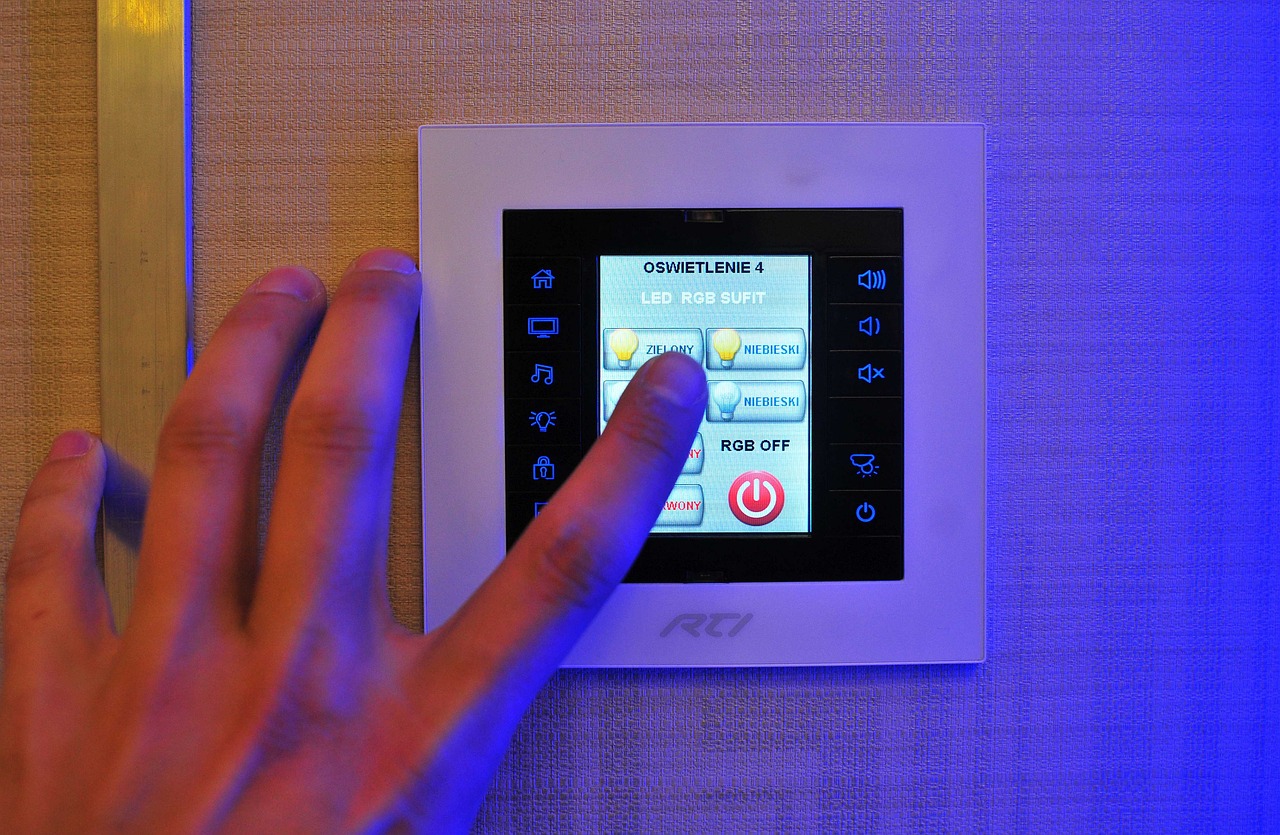
A controller is the control point of your smart home. It can be a dedicated hub, a smart speaker, a display, a router, a bridge, or software running on a small computer. The work is simple but important. It receives signals, sends commands, stores automations, and gives you one place to manage devices that would otherwise stay inside separate brand apps.
One Dashboard for Daily Control
The first benefit is everyday control. You can switch off downstairs lights, check a door sensor, or adjust the thermostat from one app or wall screen. This may sound basic, but it matters when you already have six apps, three account logins, and someone asking why the porch light is named “Lamp 7.” A useful dashboard uses clear room names, plain device names, and quick buttons for the controls people use most.
Local Rules That Still Feel Simple
Many controllers can run rules inside the home instead of sending every action to a cloud server. For example, when a motion sensor in the hallway detects movement after 11 p.m., it can turn on a low night light for five minutes. Nobody wants the hallway light at full brightness in the middle of the night. Small rules like this make the system feel normal and easy to live with.
A Bridge Between Different Ecosystems
A controller also helps when devices come from different ecosystems. You may have a smart speaker from one brand, a lock from another brand, and switches from a third brand. The controller can work as the shared control point for those products. It will not make every old device perfect, but it can help you keep working hardware instead of replacing it only because the old app feels outdated.
Why Does Matter Change the Controller Decision?
Matter changed the smart home discussion because it is built around cross-brand device control. Even so, it does not remove the need for a controller. Matter devices need a Matter controller, and many Thread devices also need a Thread border router. This point is easy to miss on a product page, which is why checking the system before buying still saves trouble.
Matter 1.6 and Multi-Ecosystem Control
The Connectivity Standards Alliance announced Matter 1.6 on June 17, 2026, with better setup, multi-ecosystem experiences, and context-based control. It also said the move from specification to finished products depends on the company and product type. Put simply, the standard is moving ahead, but your actual use depends on what your controller, phone app, and devices support right now. That is the part buyers need to confirm before placing an order. (csa-iot.org)
Thread, Wi-Fi, Ethernet, and Practical Range
Your controller choice should match your home network. Wi-Fi devices need a steady router and enough coverage in the rooms where they are installed. Thread devices need a border router, while Ethernet is still a strong choice for a central controller because it avoids weak wireless spots. In a two-story home, the best setup is often very plain: a wired controller near the router, well-placed Wi-Fi, and Thread coverage near sensors and small devices.
Certification Does Not Replace Planning
A logo helps, but it is not a full design plan. Before buying, check whether the device type is supported by your controller, whether the key features are available, and whether the device still needs its own bridge. A smart lock may connect, but some settings may stay inside the brand app. That can be annoying, and it is common enough that support notes are worth reading before checkout.
Which Devices Should You Connect First?
The best first devices are the ones used daily and the ones that remove small hassles. Do not start with a full shopping cart. Three or four stable device groups will teach you more than twenty random gadgets. After the basics work for two weeks, the next purchase is easier to judge.
Lighting and Plugs for Quick Feedback
Lights, plugs, and basic switches are good starting points because the result is easy to see. A “Good Night” scene can turn off living room lights, shut down a fan, and leave one hallway light at 10%. If something fails, you will notice it quickly. Use these devices to test room naming, voice commands, and whether other people in the home are comfortable with the setup before adding security or energy equipment.
Thermostats and Energy Loads
Smart thermostats are useful because they connect comfort with cost. ENERGY STAR says certified smart thermostats save about 8% of heating and cooling bills, or about $50 per year on average, based on real-world field data from U.S. homes. That does not mean every house will get the same result. Climate, HVAC equipment, occupancy, and daily habits still matter, so treat the figure as a reference point, not a personal promise. (energystar.gov)
Locks, Sensors, and Cameras Need Extra Care
Locks, door sensors, leak sensors, and cameras need more care because they deal with access, safety, and private areas. Add them after the network is steady and the household knows how the app works. A front door lock should not depend on a clever scene that only one person can fix. Keep physical keys, backup codes, and brand support details in a safe place.
What Features Make a Smart Home Controller Worth Buying?
A controller is worth paying for when it cuts work instead of adding another layer of confusion. Do not judge only by the product photo. The real value is in automation depth, device support, account control, backups, and how the system behaves when the internet is slow. A controller that runs quietly for months is better than one that claims to do everything but needs attention every week.
Local Automation and Backup Options
Local automation is helpful for lights, sensors, and basic safety routines. Backups matter just as much. If your controller fails, a recent backup can save hours of setup work. It is not exciting advice, but it is the kind of thing you remember on a Sunday evening when the living room lights will not respond and everyone just wants to watch a movie.
Clear App Permissions and User Roles
A good controller lets you give different access to different people. A parent may need full settings, while a child may only need room controls. A cleaner may need temporary access to a lock, not permission to change automations. If a system treats every user as an admin, be careful before putting locks and cameras on it. See also: Gadgets.
Simple Scenes That Match Real Life
Scenes should match normal habits. “Leave Home” can turn off lights, lower heating or cooling, and arm selected sensors. “Dinner” can brighten kitchen lights and dim the living room. Keep scenes short and clear, because a scene controlling twenty devices across eight rooms can turn troubleshooting into a small detective job.
How Can You Keep a Controller Secure?
Security is not only something a brand promises. It is a routine at home. A controller sits close to the home network and may manage locks, cameras, and presence data. Basic habits are worth the time: updates, strong account settings, limited permissions, and a device list you can recognize.
Updates Before New Gadgets
NIST IR 8425, published in September 2022, identifies cybersecurity capabilities commonly needed for consumer IoT products, and the NISTIR 8259 series gives manufacturers guidance for building and supporting IoT devices. For buyers, the practical point is simple: choose products with clear update policies, then install updates before adding more devices to the system. It is better to slow down at this step than to build a larger setup on outdated firmware. (csrc.nist.gov) (nist.gov)
Separate Access for Guests and Installers
Do not share your main account password with guests, tenants, contractors, or installers. Use guest access, temporary codes, or a separate role if your controller supports it. Remove access when the job is done. It takes little time and prevents the “who still has the app?” problem months later.
Labels, Passwords, and a Small Device List
The FCC established a voluntary cybersecurity labeling program for wireless consumer IoT products, including the U.S. Cyber Trust Mark and a QR-code-based registry for more product details. As these labels appear on more products, they can help buyers compare baseline security. They still need to be used together with normal habits such as unique passwords, two-step sign-in, and removing devices you no longer use. A short device list is easier to manage than a long one nobody checks.
How Should You Choose the Right Controller?
The right controller is the one that fits your current devices, your phone ecosystem, and the products you are likely to buy next. Do not buy based on one good-looking demo. Make a short list, check compatibility, and think through a normal Tuesday morning: lights, thermostat, door lock, garage, and maybe a water leak alert. If the controller handles that without fuss, it is probably a sensible fit.
Start With Your Main Ecosystem
If your household already uses one voice assistant or phone platform every day, start there. Family acceptance matters more than a long feature list. A technically strong controller can still fail at home if only one person knows how to use it. Choose a setup that other people can operate without needing a lesson each time.
Check Protocols Before the Cart
Make a small protocol checklist before buying: Wi-Fi, Thread, Zigbee, Z-Wave, Bluetooth, Ethernet, and Matter support. Then check device categories, not only logos. A controller may support Matter lights and plugs but not every camera or appliance feature. Product pages can be unclear, so look for the exact supported device types.
Buy for the Next Two Years
Do not try to plan for the next decade. Buy for the next two years of real use. If you plan to add ten window sensors, choose a controller with solid sensor support. If energy control is the main goal, look for thermostat, plug, and load-control features. If privacy matters most, give more weight to local control and clear data settings.
FAQ
Q1: Do You Need a Smart Home Controller for Every Smart Device? A: No. A single Wi-Fi bulb or plug can work through its own app. A controller becomes more useful when you have several devices, several brands, or routines that need to run together.
Q2: Is Matter the Same Thing as a Smart Home Controller? A: No. Matter is a connectivity standard. A smart home controller is the device or software that manages Matter devices and other connected products in your home.
Q3: Should You Choose Wi-Fi, Thread, Zigbee, or Z-Wave? A: Choose based on your controller and device needs. Wi-Fi suits powered devices. Thread, Zigbee, and Z-Wave are often good options for sensors and small battery devices.
Q4: Can a Controller Work Without the Internet? A: Some controllers can run local automations without internet, but app access, voice control, updates, and remote alerts may still need cloud services. Check this point before buying.
Q5: What Is the Biggest Mistake When Buying a Smart Home Controller? A: The biggest mistake is buying devices first and checking compatibility later. Pick the controller, confirm protocols and device types, then build your smart home step by step.