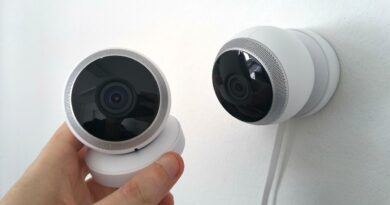
Nest smart home guide to Google Home, Matter and Thread
What a Nest smart home means in 2026
A nest smart home is no longer simply a home filled with Nest-branded hardware. In practice, it is a Google Home-led setup that may combine Nest products, Matter devices and compatible third-party equipment. Nest still has an important role in thermostats, cameras, doorbells, speakers, displays, Wi-Fi and home safety products. The buying question has changed, though: which device should act as the hub, which products still need the Nest app, and which devices can be added through Matter or Works with Google Home?
Google’s current connected-home documentation lists Nest and Google Home products across home assistance, security, entertainment, energy, connectivity, apps and services. The range includes Nest Hubs, Nest speakers, Nest Cams, Nest Doorbells, Nest thermostats, Nest Wifi products, the Google Home app, the Nest app, Google Home Premium and Nest Aware. (support.google.com)

For readers comparing wider connected-home options, our Smart Home section covers related device categories and platform choices.
The three layers of a modern Nest setup
The simplest way to plan a Nest home is to separate it into three layers. The first is the control layer: usually the Google Home app, voice control and Google Home for web. The second is the device layer, which may include thermostats, cameras, doorbells, lights, plugs, locks, blinds, sensors, speakers and displays. The third is the connectivity layer, covering Wi-Fi, Thread, a Thread border router, Matter, cloud services and subscriptions.
This distinction matters because many common setup problems come from mixing these layers. A camera may appear in Google Home but still need a subscription for longer video history. A Matter light may pair smoothly but expose fewer advanced features than it does in the manufacturer’s own app. A Thread sensor may require a compatible Thread border router even if the phone app can detect it. A legacy Nest product may still rely on the Nest app for certain functions.
| Need | Typical Nest or Google Home role | What to check before buying |
|---|---|---|
| Central control | Google Home app, Google Home for web, Nest Hub or speaker | Whether the device appears in Google Home and supports the controls you need |
| Low-power sensors and locks | Matter over Thread with a Thread border router | Whether you own a Nest Hub, Nest Hub Max, Nest Wifi Pro or another listed Thread border router |
| Cameras and doorbells | Nest Cams, Nest Doorbells and Google Home camera view | Whether you need continuous recording, event history, familiar face features or app migration |
| Heating and cooling | Nest Thermostat or Nest Learning Thermostat | HVAC compatibility, C-wire needs and whether Matter control is important |
| Advanced routines | Google Home automations and script editor | Which starters, conditions and actions are supported by your exact devices |
How Matter and Thread change the Nest buying decision
Matter changes the buying decision because it reduces the need to keep every device within one brand ecosystem. The Connectivity Standards Alliance describes Matter as a local connectivity technology, which means Matter-only devices still need an internet-connected controller for away-from-home access. In a Nest smart home, that controller role is commonly handled by supported Google Home or Nest hub devices. (csa-iot.org)
Google’s support documentation separates Matter hubs into two practical groups. Some hubs support Matter over Wi-Fi, including Nest Audio, Nest Mini, Nest Hub displays, Nest Wifi Pro and Google TV Streamer. For Matter devices that use Thread, Google says you need a hub that also acts as a Thread border router. Its listed Wi-Fi-and-Thread options include Google Home Speaker (2026), Nest Hub (2nd gen), Nest Hub Max, Nest Wifi Pro and Google TV Streamer (4K). (support.google.com)
The practical takeaway is straightforward: if you plan to buy Thread sensors, smart locks or battery-powered Matter accessories, confirm that the home already has a Thread-capable hub. If the plan is limited to Wi-Fi Matter bulbs, plugs or appliances, a Thread border router may not be necessary. This is not a small technical detail. Many setup issues start when a user buys a Matter-over-Thread device and assumes any smart speaker will be enough.
Thermostats remain a strong Nest use case
Nest’s identity still starts with thermostats. A Nest thermostat can be a useful anchor for a Google-based smart home because temperature schedules, presence routines, energy features and voice control are easy for everyday users to understand. The current Nest Learning Thermostat (4th gen) is especially relevant because Google lists it as working with Google Home and Matter, while also stating that setup requires the Google Home app. (store.google.com)
Compatibility remains the first checkpoint. Google says the Nest Learning Thermostat (4th gen) is designed to work with or without a common C wire in most homes, while noting that a C wire or Nest Power Connector may be necessary in limited cases. That wording is important. No smart thermostat should be treated as universally compatible with every HVAC system. (store.google.com)
For homeowners, the sensible order is to check HVAC compatibility before purchase, decide whether the thermostat must be controllable from other Matter-enabled apps, and then plan automations only after the heating and cooling behavior is stable. Comfort and safety should come before complex routines.
Cameras, doorbells and subscriptions need a different checklist
Nest cameras and doorbells provide some of the most visible smart home features, but they also involve the most service-dependent decisions. Google Home Premium documentation says subscriptions can provide event video history and 24/7 video history, depending on the product and plan. It also notes that some AI features roll out by device and region over time, so availability should be checked for the exact camera and location rather than assumed. (support.google.com)
Newer Nest camera and doorbell messaging focuses on image quality and smarter notifications. Google’s Store material describes 2K HDR video, 24/7 live view, night vision, wide fields of view and subscription-linked search or summary features for supported devices. (store.google.com) Google has also said newer cameras use encrypted video by default, two-step verification through a Google Account and a visible green LED when processing or streaming video. (blog.google)
A balanced view is that Nest cameras are most attractive when the user wants a Google Home-centered experience and is comfortable evaluating subscription features. If the priority is local recording without ongoing cloud services, Nest may not be the obvious first choice. If the goal is easy alerts, doorbell integration, camera feeds in the Google Home app and household-level access, Nest remains a logical option.
The Google Home app is improving, but legacy Nest still matters
Google has been moving more of the Nest experience into Google Home, but the transition is not uniform across every product. Google says that after Nest account migration, some Nest energy, safety and security devices may still be set up and controlled with the Nest app. Its account documentation also notes that Nest Protect and Nest Tag appear only in the Nest app, while some cameras, doorbells and thermostats can only be set up and controlled in Google Home. (support.google.com) See also: Gadgets.
Legacy camera migration also needs care. Google’s transfer documentation says that when eligible cameras move from the Nest app to Google Home, live video is available in Google Home and Google Home for web, new camera history is stored there, and old Nest app history remains available until it expires. It also lists some Nest app-only features that may not be available after transfer. (support.google.com)
This makes a pre-upgrade audit useful. Before replacing devices or migrating cameras, list every Nest product in the home, which app currently controls it, whether it has a subscription, and which features are used weekly. That simple check can prevent a cleaner app layout from becoming an unexpected feature loss.
Automations are more useful when they stay specific
Google Home automations have become more capable, especially for households that use sensors, cameras, lights, thermostats and media devices together. Google’s script editor documentation says advanced Household Routines can use starters, conditions and actions, and that the editor is available through Google Home for web or the mobile app after joining Public Preview. (support.google.com)
Google’s automation support pages also show why device-level compatibility matters. Some behaviors were added on specific dates in 2025 and 2026, while others are limited by device type, subscription or editor version. For example, camera-event starters can depend on whether cameras are set up or migrated in Google Home, and familiar face detection requires Google Home Premium. (support.google.com)
The most reliable Nest smart home automations are narrow, testable and reversible. Good examples include turning on a porch light when a doorbell detects motion at night, lowering the thermostat after the house is empty, sending a notification if a lock remains unlocked late, or starting a wake-up lighting routine on weekdays. Weak automations try to connect too many devices, use conflicting schedules, or depend on detections that may be unreliable in poor lighting or bad weather.
A practical build plan for a Nest smart home
Start with infrastructure rather than gadgets. Reliable Wi-Fi, stable router placement and enough coverage for cameras matter more than the total number of smart devices. If the home will use Thread devices, choose a compatible hub early so low-power accessories are not stranded later.
- Pick the control center. Use Google Home as the main dashboard, then keep the Nest app only where a product or feature still requires it.
- Choose a hub with the right radios. For Matter over Thread, use a listed Thread border router. For Wi-Fi Matter devices, a Wi-Fi Matter hub may be enough.
- Add comfort first. A thermostat, temperature sensor and simple schedule can deliver daily value before complex automation.
- Add visibility where it matters. Doorbells and outdoor cameras should solve specific entryway, driveway or package problems, not cover every angle for its own sake.
- Buy third-party devices by function. For lights, plugs, blinds and sensors, check Matter or Works with Google Home support and verify the exact feature set.
- Test automations one by one. Run each routine for several days before adding more conditions.
- Review subscriptions annually. Keep paid camera history or premium features only if they solve a real household need.
The strategic benefit of a Nest-based setup is not that every product must carry a Nest logo. It is that Google Home can act as a common interface for Nest hardware, Matter devices and compatible third-party products. The limitation is that app support, regional feature rollout, subscriptions and device-specific behavior still matter. A good Nest smart home is planned around roles, not brand loyalty.
Frequently asked questions
Do I need a Nest Hub for a Nest smart home?
No, but a Nest Hub or another compatible hub can make the system more useful. You can control many devices from the Google Home app, but Matter devices need a supported controller, and Thread devices need a Thread border router. A Nest Hub also gives the home a shared screen for controls, camera views, media and routines.
Is Matter enough to guarantee every feature will work in Google Home?
No. Matter improves basic interoperability, but it does not guarantee that every advanced feature from a manufacturer’s own app will appear in Google Home. Always check whether the exact device function you need, such as color effects, camera events or lock behavior, is supported.
Should legacy Nest camera owners move everything to Google Home?
It depends on the devices and features used. Google Home offers a more unified smart home view, but some legacy camera features can remain Nest app-only after transfer. Review camera history, subscription status, notification settings and daily-use features before migrating.
What should I buy first for a new Nest smart home?
For most homes, the best first purchases are a reliable Wi-Fi setup, a compatible hub, and one high-value device such as a thermostat, doorbell or a small set of lights. Expanding slowly makes it easier to identify compatibility issues before the system becomes complicated.
Can a Nest smart home include non-Google devices?
Yes. That is one of the main reasons to use Google Home with Matter and Works with Google Home devices. The key is to buy by compatibility and feature support, not just by a logo on the box.