Which Smart Home Devices Are Worth Buying in 2026?
Are Smart Home Devices Worth Buying in 2026?
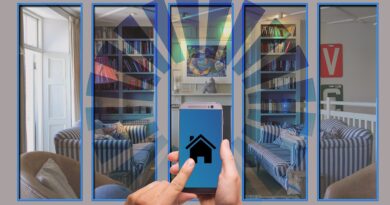
Smart home devices are worth buying when they fix a daily problem, not when they only look good in a product video. If you want a connected home for comfort, safety, or lower energy waste, start with simple gear and add more room by room. For more ideas across the category, visit the Smart Home section.
Daily Comfort Gains
The best smart home devices take away small tasks you do every day. Lights can switch on before you walk into a hallway, and a thermostat can lower the temperature after bedtime. A plug can cut power to a lamp that someone always forgets. It may not feel like a big upgrade on the first day, but after a few weeks, a lit kitchen at 6:30 a.m. is simply easier to live with.
Energy Data That Matters
Energy devices are worth a closer look because public data gives a real reason to care. The U.S. Energy Information Administration reported that 88% of U.S. households used air conditioning in 2020, based on its Residential Energy Consumption Survey published in May 2022. ENERGY STAR says certified smart thermostats save about 8% on heating and cooling bills, around $50 per year on average. Source: EIA 2020 RECS and ENERGY STAR Smart Thermostats FAQs, accessed July 2026.
When Automation Feels Like Overkill
Not every switch needs a schedule. A smart toaster, smart kettle, or connected pet feeder can help, but only when it matches a real routine at home. Parks Associates reported in May 2025 that 23% of U.S. internet households owned at least one smart appliance, up from 15% in 2020, while annual purchase rates stayed low at 3%. The point is simple: appliances have long life cycles, so buy smart only when the main appliance is already due for replacement.
Which Smart Home Devices Should You Buy First?
A smart home works better when you start with low-risk devices you can see and use right away. Pick items that are easy to remove, easy to reset, and still useful if you never add another gadget. This also keeps the budget under control.
Smart Speakers and Displays as Control Points
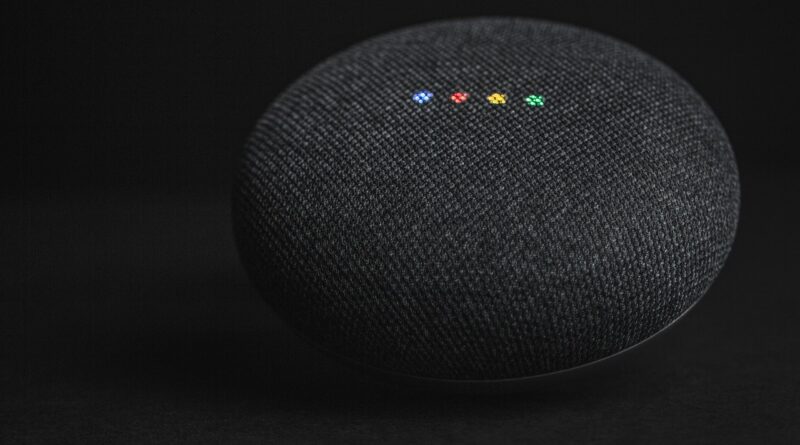
A smart speaker or display is often the easiest control point because it puts voice commands, timers, music, cameras, and routines in one place. It is most useful in a kitchen, bedroom, or home office. Before buying, check whether it works with your phone, music service, and doorbell or camera brand. If voice control feels odd in your home, a display with touch controls may be the better choice.
Smart Lighting for Simple Wins
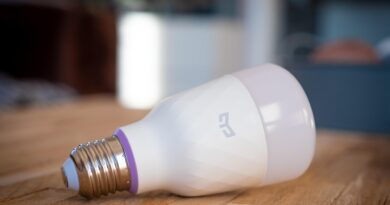
Smart bulbs, switches, and dimmers give fast results because lighting is used every day. A porch light can follow sunset and sunrise, and a nursery lamp can dim without waking a child. A stair light can turn on with motion. For rented homes, bulbs and plug-in lamps are usually the safer route. For owned homes, wall switches often feel more natural because guests can still use the manual switch.
Smart Plugs for Low-Cost Testing
Smart plugs are a low-cost way to test smart home habits before spending more. Use one for a floor lamp, fan, coffee grinder, holiday lights, or a phone charger station. They show whether app control and schedules fit the way you live. Avoid high-load appliances unless the plug rating clearly supports the device. A plug is small, but electrical safety is not something to guess on.
Which Devices Can Save Energy or Cut Waste?
Energy savings depend on the home, climate, insulation, utility rates, and how people already use equipment. That is why the honest answer is not that every device pays for itself. Some do, and some mainly make waste easier to spot.
Smart Thermostats With Proven Savings
A smart thermostat is often the first serious energy device for houses with central heating or cooling. ENERGY STAR’s public FAQ states average savings of about 8% on heating and cooling bills. Homes with regular schedules, frequent travel, or uneven room temperatures may see a clearer payback. If someone already follows a careful manual schedule, the gain may be smaller.
Sensors That Prevent Heating and Cooling Waste
Contact sensors and occupancy sensors can cut waste by catching bad patterns early. A window sensor can remind you that the AC is running while a window is open. A room sensor can help a thermostat avoid overheating a room that is rarely used. These are not magic energy tools, but they make waste visible, and visible problems are easier to fix.
Smart Plugs for Standby Loads
Smart plugs can shut off entertainment corners, desk setups, or chargers after hours. The real savings vary too much for one number to fit every home, so no reliable public figure should be promised for all cases. Use plugs where behavior is easy to predict: a home office that shuts down at 7 p.m., a lamp that runs only at night, or a fan that should not stay on after you leave. That is where the device makes the most sense.
How Should You Choose Devices That Work Together?
Compatibility is where many smart homes get messy. One app controls bulbs, another controls cameras, another handles locks, and then someone changes the Wi-Fi password. A little planning prevents that kind of household headache.
Matter Support as a Buying Signal
Matter has become an important buying signal because it is built for cross-ecosystem smart home control. The Connectivity Standards Alliance says Matter helps device makers build products compatible with major smart home and voice services, including Amazon Alexa, Apple Siri, and Google Assistant. CSA also announced Matter 1.6 on June 17, 2026, with improvements for setup and multi-ecosystem experiences. Source: Connectivity Standards Alliance, accessed July 2026.
Wi-Fi, Thread, Zigbee, and Z-Wave Choices
Wi-Fi devices are easy to start with because they connect through your router. The downside is that too many low-cost Wi-Fi gadgets can crowd a weak network. Thread, Zigbee, and Z-Wave often need a hub or border router, but they can be steadier for sensors and switches. A simple rule works well: use Wi-Fi for cameras and high-data devices, and consider Thread, Zigbee, or Z-Wave for small battery sensors.
App Quality and Local Controls
Good hardware can feel poor if the app is weak. Before buying, check update history, user reviews, family sharing, and whether the device still works manually. A smart lock should still open with a key, code, or approved backup. A wall switch should still turn on lights. Local control also helps when the internet drops, because nobody wants to fix a cloud service just to turn on a hallway light. See also: Gadgets.
How Can You Keep Smart Home Devices Secure?
Security is part of the purchase, not an extra step for later. A camera, lock, speaker, or thermostat may hold personal data, so the home network matters as much as the device box.
Router Settings Come First
The Federal Trade Commission says your router is central to privacy in an Internet-of-Things home. FTC consumer guidance recommends securing home Wi-Fi with WPA3 Personal or WPA2 Personal encryption, changing both the Wi-Fi password and router admin password, and turning off risky convenience features such as remote management, WPS, and UPnP when not needed. Source: FTC Consumer Advice, accessed July 2026.
Unique Passwords and Two-Factor Login
Every smart home account should use a unique password. If a brand offers two-factor authentication, turn it on. This matters most for cameras, locks, alarms, garage controls, and cloud accounts tied to payment details. Do not reuse the same password from email or shopping accounts. That one habit can turn a small device issue into a larger personal data problem.
Updates and End-of-Life Devices
Set devices and apps to update automatically when possible. If a manufacturer no longer supports a camera, plug, or lock with security updates, remove it from sensitive roles. A ten-year-old smart plug might still switch on a lamp, but it may not belong on the same network as laptops and phones. Keep a small list of devices, brands, and install dates; it is boring work, but it helps when something fails.
What Should You Check Before Buying for an Apartment or House?
The right smart home setup depends on the building. Renters usually need removable gear. Homeowners can wire switches, add cameras, and install hardwired doorbells. In both cases, plan by room instead of filling an online cart in one excited evening.
Rental-Friendly Installation
Renters should favor smart bulbs, plug-in cameras, smart plugs, removable sensors, and battery doorbells that do not require permanent wiring. Check lease rules before installing locks, cameras, or doorbell units in shared hallways. A small apartment can feel smarter with only six devices: two bulbs, two plugs, a speaker, and a door sensor. That is enough for a first setup, and it is easy to move later.
Camera and Microphone Placement
Cameras and microphones need more thought than light bulbs. Put cameras at entry points, garages, nurseries, or pet areas, but avoid private spaces. Tell guests if indoor cameras are active. For smart speakers, mute the microphone when privacy matters. There is no reliable public data proving every camera lowers risk in every home, so treat cameras as awareness tools, not a full security plan.
Real Budget by Room
A practical starter budget can stay in one room first: a speaker, two bulbs, one plug, and maybe a sensor. The next step could be a thermostat or doorbell if the home supports it. This is usually better than buying ten unrelated products at once. Parks Associates’ smart appliance data shows that larger connected products move slowly because cost and replacement cycles matter, so it is sensible to upgrade big items only when the old ones are already wearing out.
FAQ
Q1: What Are the Most Useful Smart Home Devices for Beginners? A: Start with smart bulbs, smart plugs, a speaker or display, and one sensor. These devices are affordable, easy to move, and useful without rewiring.
Q2: Do Smart Home Devices Really Save Money? A: Some can. ENERGY STAR reports about 8% average heating and cooling savings for certified smart thermostats. Savings from plugs, bulbs, and sensors depend on your habits and utility rates.
Q3: Is Matter Important When Buying Smart Home Devices? A: Yes, Matter is a helpful buying signal if you want devices to work across major ecosystems. Still check the exact device category, app features, and hub needs before purchase.
Q4: Are Smart Cameras Worth It? A: Smart cameras are worth it for entry awareness, package checks, pets, and outdoor monitoring. They should be placed carefully, updated often, and protected with a strong password and two-factor login.
Q5: How Many Smart Home Devices Should You Start With? A: Start with three to six devices in one area. Once the routines feel natural, add devices by problem, not by trend. A calmer setup usually lasts longer.