Are Smart House Devices Always Safe When Connected to Wi-Fi
5 Devices in Your Home That Really Shouldn’t Be Connected to Wi-Fi
Smart house devices have transformed how homes function, but not every connected gadget deserves a place on your Wi-Fi network. The convenience of remote access often hides serious vulnerabilities that can compromise privacy and safety. Devices like smart locks, cameras, thermostats, TVs, and kitchen appliances collect sensitive data and rely on cloud connections that may be insecure or poorly maintained. Experts recommend limiting connectivity for these categories or isolating them on separate networks to reduce exposure. Security should outweigh novelty when it comes to what gets online.
The Security Landscape of Smart House Devices
The rise of connected homes has created an intricate digital ecosystem where comfort meets risk. Each new device adds functionality but also expands the attack surface available to cybercriminals.
The Growing Ecosystem of Connected Home Technology
The modern household now includes dozens of IoT devices—from voice assistants and lighting systems to refrigerators and baby monitors—all communicating through Wi-Fi or Bluetooth. This interconnected web allows centralized control but also introduces dependency on external servers and mobile apps. As more functions become automated, the tradeoff between convenience and security becomes sharper: every connection is a potential entry point for intrusion.
Common Vulnerabilities in Wi-Fi Connected Devices
Many smart house devices ship with weak authentication protocols or default credentials that users rarely change. Firmware updates are often irregular or discontinued after a short support period, leaving unpatched exploits open indefinitely. Insecure configurations such as open ports or outdated encryption standards enable attackers to intercept traffic or pivot into other parts of the home network. Poorly secured routers amplify these risks, turning small oversights into major breaches.
Evaluating Risk Factors in Smart Home Connectivity
Before connecting any device, experts assess how it interacts with other systems and what data it transmits externally. The structure of the home network plays a decisive role in determining overall resilience.
Network Architecture and Device Segmentation
Segmenting IoT devices from primary computers and personal data repositories is essential. Creating guest networks or VLANs limits lateral movement if one device is compromised. Traffic monitoring tools help detect anomalies such as unexpected outbound connections or excessive data transmission from low-power sensors—often early signs of compromise.
Data Privacy and Information Leakage Concerns
Smart house devices routinely collect behavioral metrics, location data, and usage patterns that are transmitted to cloud servers for analytics or updates. This continuous flow increases exposure to third-party misuse or leaks from unsecured databases. Encryption standards like WPA3 for Wi-Fi and TLS for cloud communication are fundamental safeguards, yet many budget devices still rely on outdated methods that fail under modern attack models.
Devices That Pose Higher Security Risks When Connected to Wi-Fi
Not all connected gadgets carry equal risk. Some categories inherently handle sensitive information or control physical access points, making them prime targets for exploitation.
Smart Door Locks and Access Control Systems
Smart locks promise keyless entry but depend heavily on cloud authentication services that can fail or be spoofed. Remote exploitation could grant unauthorized access without physical tampering. Best practices include enabling local control fallback modes, enforcing strong encryption such as AES-256, and applying firmware updates promptly when released by manufacturers.
Smart Security Cameras and Baby Monitors
These devices continuously stream audio and video data—ideal prey for attackers seeking surveillance access. Weak passwords or outdated firmware make live feed hijacking alarmingly common. Disabling remote viewing when unnecessary reduces risk substantially; using VPN tunnels for secure access further minimizes exposure.
Smart Thermostats and HVAC Controllers
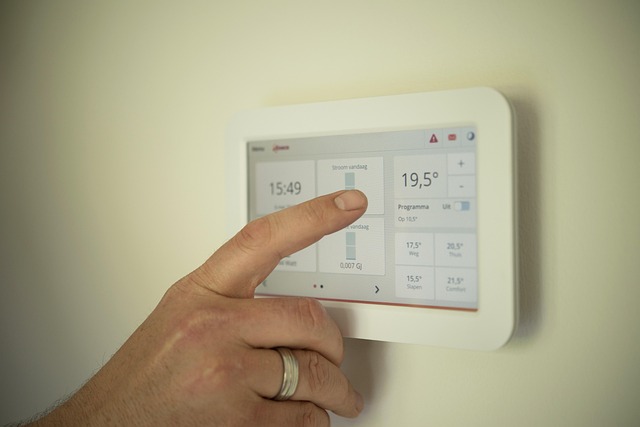
Thermostats interact with APIs that manage temperature schedules through mobile apps or cloud dashboards. Vulnerabilities in these interfaces can let attackers manipulate environmental settings or extract occupancy data indicating when residents are away. Hardening firmware, segmenting networks, and enforcing HTTPS-based communication protocols mitigate most known vectors.
Smart TVs and Entertainment Systems
Modern smart TVs collect voice commands, viewing habits, and even microphone input for personalized recommendations. These features often send unencrypted telemetry to vendor servers or third-party advertisers. Attackers can exploit media parsing bugs via malicious files or compromised streaming platforms. Users should disable voice recognition if unused, remove unnecessary apps, and apply software patches regularly.
Smart Kitchen Appliances (Refrigerators, Ovens, Coffee Machines)
Manufacturers frequently discontinue support after only a few years, leaving vulnerabilities unpatched indefinitely. Once compromised, these appliances can serve as gateways into broader home networks since they maintain persistent outbound connections for updates or inventory tracking features. Restricting their internet access via router rules and reviewing connection logs periodically helps prevent unnoticed infiltration.
Strengthening the Security Posture of a Smart Home Network
A well-structured defense strategy combines authentication discipline with proactive maintenance and layered network protection mechanisms.
Implementing Robust Authentication Mechanisms
Each smart house device should use unique complex passwords unrelated to other accounts. Where available, multi-factor authentication adds another barrier against brute-force attacks by requiring verification through separate channels like mobile tokens.
Maintaining Firmware Integrity and Update Discipline
Regularly scheduled firmware updates close known vulnerabilities before they can be exploited at scale. Only verified manufacturer sources should be used; unofficial modifications often introduce instability or hidden backdoors that undermine system reliability.
Network-Level Defense Strategies
Deploying firewalls capable of inspecting IoT traffic helps identify suspicious behavior early. Intrusion detection systems tuned for consumer environments can flag abnormal patterns like sudden spikes in outbound bandwidth from low-activity sensors. DNS filtering further blocks domains associated with botnets targeting IoT ecosystems documented by cybersecurity agencies worldwide.
Balancing Functionality with Security in the Modern Smart Home
Security professionals emphasize proportionality: not every device benefits meaningfully from being online. The goal is selective connectivity rather than blanket adoption.
Assessing the Necessity of Connectivity for Each Device
Before connecting anything new, consider whether its core function truly requires internet access. For instance, a coffee machine’s scheduling feature may work locally without external servers involved—reducing unnecessary risk exposure while maintaining convenience.
Building a Culture of Continuous Security Awareness
Security does not end at installation; it evolves alongside technology itself. Experts encourage periodic reviews of router settings, permission lists within companion apps, and manufacturer update policies before purchase decisions are made. A culture where users question default configurations leads naturally toward safer digital households—even if it means sacrificing some automation flair along the way.
FAQ
Q1: Why should certain smart house devices stay offline?
A: Because some handle critical functions like entry control or video surveillance where breaches directly impact safety rather than just privacy loss.
Q2: How often should firmware updates be checked?
A: At least once per quarter unless vendors specify shorter cycles; high-risk devices like cameras may need monthly checks due to active exploit trends.
Q3: Is using one password manager safe for all IoT logins?
A: Yes if encrypted properly; reputable managers use zero-knowledge architecture ensuring credentials never leave local storage unprotected.
Q4: Can guest networks slow down performance?
A: Minimal impact occurs under standard home bandwidths; isolation benefits far outweigh slight latency increases during peak load times.
Q5: What’s the simplest way to detect compromised devices?
A: Monitor outbound traffic volume—unexpected spikes from idle appliances usually indicate background processes communicating externally without authorization.