Is Smart Home Automation Worth It for a Safer, Easier, and Lower Cost Home?
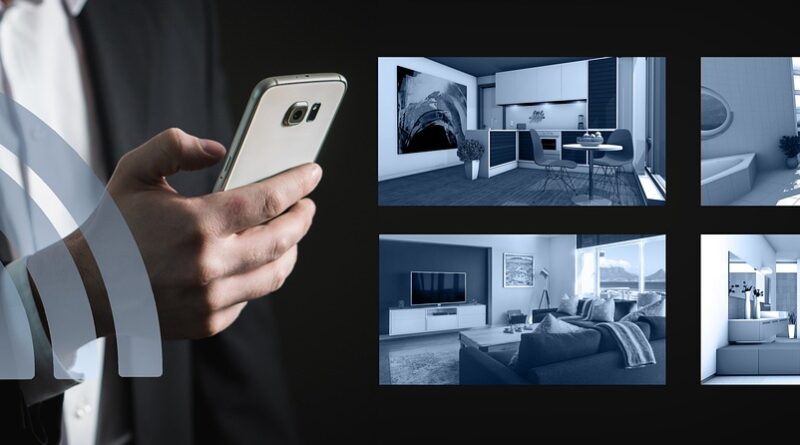
Smart home automation is not just a stack of gadgets on Wi-Fi. In a good setup, lights, climate, locks, sensors, plugs, and appliances respond to normal routines with less phone tapping. If you are planning a system for a house, apartment, or small rental property, this guide in the Smart Home section gives a plain route from the first device to a stable whole-home system.
The market is no longer only for early users. Parks Associates reported in 2024 that 45% of U.S. internet households owned at least one smart home device, and 18% owned six or more. That growth is useful, but it also brings a common problem: many homes now have separate devices that do not work well together. A better setup starts with daily needs, not a basket full of eye-catching boxes.

How Does Smart Home Automation Turn Devices into Daily Help?
A smart home works best when it handles a small task that happens again and again. The main value is not the app itself. It is the rule behind it, such as “turn on the entry light when the door opens after sunset” or “lower the thermostat when nobody is home.” Simple rules usually do the most useful work.
Sensors, Controllers, and Actions
Most systems have three basic parts. Sensors notice a change, controllers decide what should happen, and devices carry out the action. A motion sensor can turn on a hallway light, while a door sensor can start a camera clip. A temperature sensor can also tell the thermostat to adjust. When these parts talk to each other without trouble, the home feels helpful instead of hard to manage.
Scenes That Match Real Routines
Scenes put several actions under one command. A “Good Night” scene may lock the door, turn off downstairs lights, lower shades, and set the bedroom temperature. These scenes should match how people really live in the home. If you often cook late, a bedtime scene should not switch off the kitchen lights too early. Small details like that decide whether people keep using the system.
Local Control and Cloud Control
Cloud apps are easy to start with, but local control is often quicker and steadier. Lights that rely only on remote servers may respond slowly when the internet is down or busy. Local hubs, Matter controllers, and some Zigbee or Z-Wave systems can keep key automations running inside the home. For locks and safety lighting, that backup is worth checking before purchase.
Which Smart Home Automation Projects Give the Best First Wins?
The best first project is the one people notice every day. For many homes, that means lighting, climate, or entry security. Start with one area, use it for two weeks, then add the next part. This keeps spending under control and helps catch annoying settings before they spread across the whole house.
Lighting That Follows Occupancy
Smart lighting gives fast feedback, so it is a good place to begin. Motion sensors work well in hallways, laundry rooms, garages, and closets. In living rooms and bedrooms, smart switches often make more sense than smart bulbs because the wall switch still works the way people expect. Guests do flip switches, and a normal switch can cut power to a smart bulb. That problem shows up more often than many product pages admit.
Thermostats That Cut Waste
Heating and cooling are strong starting points because the bills are easy to see. ENERGY STAR says almost half of the average U.S. household’s annual energy bill goes to heating and cooling, more than $900 a year. Its smart thermostat FAQ says certified smart thermostats save about 8% of heating and cooling costs, or around $50 per year on average. Homes with higher bills may save more, but comfort settings still drive the final result.
Entry Security That Reduces Guesswork
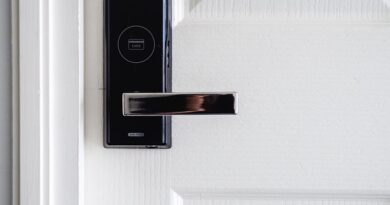
Door locks, contact sensors, video doorbells, and outdoor lights remove a lot of small doubts. People want to know if the door closed, if the package arrived, or if the side gate is open. The Bureau of Justice Statistics reported 782,100 burglaries in the United States in 2024. That figure does not prove a camera stops burglary, but it does explain why many homeowners want quicker alerts and better views at entry points.
How Should You Choose Devices That Work Together?
Compatibility is where many smart home projects become messy. A device may say it works with one voice assistant, but that does not mean every feature works in every app. Before buying, write down the main platform, the router setup, and whether a hub is part of the plan. Then check each device against that list.
Matter and Multi Ecosystem Support
Matter matters because it is meant to reduce platform lock-in. The Connectivity Standards Alliance announced Matter 1.6 in June 2026, with a focus on easier setup, multi-ecosystem experiences, and more context-driven control. In simple terms, the industry is trying to make devices easier to add and easier to share across major systems. Still, “Matter compatible” does not always mean every feature will appear in every app. Buyers should check the exact device type and supported functions before ordering.
Wi-Fi, Thread, Zigbee, and Z-Wave Roles
Wi-Fi is a good fit for cameras, appliances, and devices with constant power. Thread, Zigbee, and Z-Wave are often better for small sensors, buttons, locks, and battery-powered devices. These low-power networks can reduce the load on the router. A home with twenty Wi-Fi bulbs may seem fine at first, then become unstable when phones, laptops, TVs, and video calls are also using the same router.
A Hub Plan Before Shopping
A hub is not outdated. In many homes, it works like a traffic manager for connected devices. Some users choose a smart speaker as the main controller, while others use a dedicated hub for local rules, wider device support, or more detailed routines. Pick the controller first, then buy lights, sensors, and switches that fit it. Cheap random deals often cost more later in setup time.
Can Smart Home Automation Save Energy without Making Life Annoying?
Energy saving only works when the settings fit the people living in the home. If rooms become too cold, too dark, or too slow to respond, someone will turn the system off. Good automation cuts waste in the background while keeping normal routines easy.
Smarter Temperature Setbacks
The U.S. Department of Energy says you can save as much as 10% a year on heating and cooling by turning the thermostat back 7°F to 10°F for eight hours a day from its normal setting. Automation makes this easier because it can use schedules, geofencing, occupancy, and recovery timing. The point is not to push the setting too far. A mild setback that people keep using is better than a strict one they cancel every night.
Plug Loads and Quiet Power Waste
Smart plugs help with devices that use power while idle, such as fans, lamps, game setups, chargers, and office equipment. Use them where shutoff control is safe and easy to predict. Do not put medical gear, refrigerators, freezers, aquariums, or network equipment on casual shutoff rules. A smart plug should cut waste, not create a small household emergency. See also: Gadgets.
Energy Rules You Can Actually Keep
Useful rules are plain and easy to understand. Turn off basement lights after no motion for 15 minutes. Shut down a heated towel rack at noon. Close motorized shades on hot summer afternoons. If one rule needs five exceptions, it is probably trying to do too much. Real homes have kids, pets, guests, and strange weekends, so the system needs room for that.
What Security and Privacy Checks Matter Before You Connect Everything?
Every connected device becomes part of the home network. That does not mean smart products should be avoided, but the cheapest no-name camera is not always a good buy. Security is easier when it is handled during buying and setup, not after something goes wrong.
Strong Accounts and Separate Networks
Use unique passwords and multi-factor login for main smart home accounts. If the router supports a guest or IoT network, place smart devices there and keep phones and laptops on the main network. CISA guidance for internet-connected devices repeatedly stresses changing default passwords and limiting unnecessary exposure. This advice sounds basic because it still works.
Updates, Labels, and Vendor Lifetimes
NIST’s consumer IoT cybersecurity baseline points to core needs such as device identification, safe configuration, data protection, controlled access, and software updates. When buying, check whether the brand gives an update policy. A sensor may run for years, but an abandoned app can make it useless. This is not the exciting part of shopping, yet it prevents a lot of support trouble later.
Cameras with Clear Boundaries
Cameras need extra care because they collect sensitive video and audio. Point them at entries, driveways, and package zones, not private indoor areas unless there is a clear reason. Review sharing settings and turn off features that are not needed. The Federal Trade Commission has taken action in connected camera privacy cases, which shows how convenience and privacy can clash when vendors or users get careless.
How Can You Build a Reliable System Room by Room?
A reliable smart home grows in layers. There is no need to automate everything in one weekend. It is usually better to build one room, test it, adjust it, and then move on. The home should stay easy for anyone to use, even if they never open the app.
Start with One Everyday Pain Point
Pick a problem that happens often. It might be a dark entry after work, a garage light left on all night, or a bedroom that gets too warm before sunrise. Solve that one issue with the fewest parts possible. A switch, a sensor, and one rule can feel more useful than ten devices with no clear job.
Test Automations Before Adding More
Run every automation for a week before adding more rules on top. Watch for false triggers, slow response, and odd timing. Motion sensors near pets may need a new angle, and a porch light rule may need a later sunset offset. This tuning stage is normal. A good smart home is adjusted after real use, not just installed once and forgotten.
Keep Manual Controls for Guests
Wall switches, keypads, and clear labels still matter. A guest should be able to turn on a bathroom light without learning the whole ecosystem. A babysitter should be able to lock the door without using your phone. Physical control also helps when an app is down or a phone battery is dead. Old-style buttons are not a problem; they are the backup plan.
FAQ
Q1: Is Smart Home Automation Expensive to Start? A: It does not have to be. A starter setup can begin with a smart switch, a motion sensor, or a thermostat. Start with one daily problem, then add devices only when they fit the plan.
Q2: Does Smart Home Automation Need a Hub? A: Not always. Many Wi-Fi devices work without a hub, but a hub can improve local control, battery sensor support, and whole-home routines. Larger homes usually work better with one clear controller.
Q3: Can Smart Home Automation Really Lower Energy Bills? A: Yes, when the rules match the routine. ENERGY STAR says certified smart thermostats save about 8% of heating and cooling costs on average, while the Department of Energy supports thermostat setbacks as a proven saving method.
Q4: Is Matter Enough to Guarantee Compatibility? A: Matter helps, but it is not a full guarantee. Check the exact device type, supported features, controller support, and firmware status before buying. Some advanced settings may still stay inside the brand’s own app.
Q5: What Is the Best First Smart Home Automation Project? A: Lighting is often the easiest first win, especially in entries, hallways, closets, and garages. If energy bills are the main concern, a certified smart thermostat may be the better first choice.