How to plan the best smart home setup in 2026
The best smart home is a system, not a pile of devices
In 2026, the best smart home is designed around reliability, security, and everyday routines, not the highest possible device count. A strong setup starts with a stable router, a platform that every household member can use, and devices that support open standards where practical. Matter has made cross-brand compatibility more realistic, Thread has improved low-power device networking, and U.S. cybersecurity labeling is giving buyers another way to judge device support. But the fundamentals have not changed: choose devices that solve real problems, receive software updates, and still work when an app, cloud service, or voice assistant is unavailable.
For ongoing explainers and buying context, visit the Smart Home section.

Start with the platform, then choose the wireless layers
Many smart home problems start when buyers choose devices first and think about the control system later. A better approach is to decide how the home will be controlled: by phone, voice assistant, wall controls, automations, or a mix of all four. Apple Home, Amazon Alexa, Google Home, Samsung SmartThings, and Home Assistant can all support serious smart homes, but they differ in device support, local control options, automation depth, and ease of use.
For a simple family setup, prioritize a mainstream platform with clear user permissions, easy sharing, and broad device availability. For advanced automation, local dashboards, and custom logic, Home Assistant or a hybrid setup may be stronger. The best choice is not the platform with the longest feature list; it is the one the household will actually maintain.
What Matter solves
Matter is the industry standard intended to make certified smart home devices work across participating ecosystems. The Connectivity Standards Alliance released Matter 1.6 on June 17, 2026, with updates focused on easier setup, multi-ecosystem management, context-aware thermostat control, clearer device status, and security-related refinements. That matters because many households no longer want to be locked into one app or one brand.
However, Matter is not a universal feature passport. A product can support Matter while still exposing only part of its feature set through a given platform. Cameras, security systems, robot vacuums, energy devices, and appliances may still behave differently depending on the manufacturer app and ecosystem support. Treat Matter as a compatibility baseline, not a guarantee that every advanced feature will appear everywhere.
Why Thread and Wi-Fi both matter
Wi-Fi remains the practical choice for bandwidth-heavy devices such as cameras, video doorbells, displays, and some appliances. Thread is better suited to low-power or low-data mesh devices such as sensors, buttons, plugs, shades, and lighting accessories. The Thread Group released Thread 1.4 in 2024, and its improvements aim to reduce the fragmented mesh-network problem that early multi-brand smart homes often faced.
A good 2026 smart home will usually use both. The question is not whether Wi-Fi or Thread is “better,” but whether each device is using the right network for its job. If every cheap sensor, plug, camera, and speaker is competing on the same weak Wi-Fi network, reliability will suffer no matter how smart the devices claim to be.
Build around rooms that pay you back
The most useful smart home upgrades are the ones that remove small daily annoyances. Start with rooms and routines before choosing brands. A smart light that turns on at sunset, a thermostat that avoids heating an empty house, a leak sensor near a water heater, or a door sensor that confirms the garage is closed may deliver more value than an impressive but rarely used automation scene.
| Priority area | Useful first devices | Main value | Key watchout |
|---|---|---|---|
| Lighting | Smart switches, dimmers, bulbs, motion sensors | Convenience, safety, energy discipline | Switches are often better than bulbs for shared rooms |
| Climate | Smart thermostat, room sensors, smart vents where appropriate | Comfort and potential bill reduction | Check HVAC compatibility before buying |
| Safety | Leak sensors, smoke and CO listeners, contact sensors | Early warnings for costly or dangerous problems | Battery alerts and placement matter more than app features |
| Security | Video doorbell, outdoor camera, smart lock, keypad | Visibility and access control | Cloud storage fees and privacy policies vary widely |
| Energy | Smart plugs, energy monitor, load-aware devices | Better awareness of standby and peak use | Energy data is only useful if it leads to action |
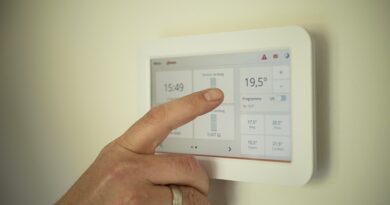
For energy savings, the strongest mainstream evidence still centers on thermostats. ENERGY STAR says certified smart thermostats save about 8 percent of heating and cooling costs on average, or roughly $50 per year for a typical U.S. household. Actual savings depend on climate, utility rates, HVAC type, insulation, and whether the household already uses a disciplined schedule.
Security and privacy should decide what not to buy
A smart home increases the number of devices connected to your network, so the buying decision must include update support, account security, data collection, and local fallback. This is especially important for cameras, locks, baby monitors, garage doors, routers, and any device with a microphone.
The Federal Communications Commission established the U.S. Cyber Trust Mark as a voluntary cybersecurity labeling program for wireless consumer Internet of Things products. The program is designed to help consumers identify products that meet baseline cybersecurity requirements and to connect labels with product information through a QR-code registry. It will not replace buyer judgment, but it gives shoppers another signal to look for as labeled products become more common.
Software support is just as important. In November 2024, Federal Trade Commission staff reported that nearly 89 percent of 184 surveyed smart products did not clearly disclose on their product pages how long they would receive software updates. That finding is a warning for smart home buyers: a device can look modern on day one and become a risk later if the manufacturer will not say how long it will patch security issues.
A minimum security checklist
- Choose products with clear software update policies and avoid devices with unknown support life.
- Use unique passwords and enable multi-factor authentication on platform and camera accounts.
- Keep router firmware updated and use strong Wi-Fi encryption.
- Put guest devices, visitors, and low-trust gadgets on separate networks where your router supports it.
- Prefer devices that continue basic operation locally when the internet is down.
- Review microphone, camera, location, and data-sharing settings after installation, not months later.
A practical buying sequence for 2026
A smart home is easier to build in layers. Buying everything at once makes troubleshooting harder and often leads to duplicated hubs, abandoned apps, and automations nobody uses. A staged plan gives you time to test reliability before adding more critical devices.
- Fix the network first. Upgrade weak Wi-Fi coverage, place the router well, and confirm that the home can handle cameras, speakers, phones, laptops, and IoT devices without congestion.
- Pick the main control platform. Decide which app, voice assistant, and household account structure will be used before buying devices.
- Add lighting in one high-use area. A hallway, kitchen, bedroom, or exterior entry is a good test zone. Use switches or dimmers when multiple people use the same fixture.
- Add sensors before complex automations. Motion, contact, temperature, humidity, and leak sensors give the system context and make automations more useful.
- Upgrade the thermostat if compatible. Verify HVAC wiring, heat pump settings, and utility rebate options before purchase.
- Add security devices carefully. Cameras and locks deserve extra review because they involve personal safety, privacy, subscriptions, and access control.
- Document the system. Keep a simple note listing hubs, device names, room assignments, batteries, warranty periods, and update policies.
This sequence helps prevent a common failure pattern: buying premium devices for every room, discovering that the platform does not expose the desired features, and then rebuilding the system around another hub. See also: Gadgets.
Common mistakes that make smart homes feel worse
The first mistake is automating too much. If a motion sensor turns off lights while someone is reading, or a thermostat changes temperature because it misunderstood occupancy, the home feels less intelligent, not more. Always provide a manual override, especially for lights, locks, blinds, and climate control.
The second mistake is choosing cloud-only devices for essential routines. Cloud services are convenient, but internet outages, service changes, account problems, and discontinued products happen. Critical functions should still have local controls: a physical switch, a keypad, a key, or a thermostat interface.
The third mistake is ignoring household consent. Cameras, smart speakers, presence detection, and door logs can change how a home feels. A reliable smart home is also a comfortable one. Make sure residents know what is being recorded, what is being automated, and how to turn features off.
The fourth mistake is chasing every new standard update. Matter 1.6, Thread 1.4, and future releases point in a better direction, but adoption depends on manufacturers, hubs, apps, firmware updates, and certification timing. Buy for capabilities available now, not only for features promised later.
What the best smart home should look like by the end
By the time the setup is mature, it should feel quiet. Lights should respond predictably. Climate control should save energy without discomfort. Sensors should provide warnings before small problems become expensive. Locks and cameras should improve awareness without creating privacy anxiety. Family members should not need to understand protocols, hubs, or automation logic to use basic functions.
The strongest setups also avoid unnecessary lock-in. Matter-compatible devices, Thread-ready infrastructure, clear update policies, and good router management all make it easier to replace individual products later. That flexibility is valuable because the smart home market changes quickly, while homes change slowly.
In short, the best smart home is not a showroom. It is a practical, secure, and maintainable system that makes everyday routines easier while staying understandable to the people who live with it.
Frequently asked questions
Do I need Matter for a good smart home?
No, but Matter is increasingly useful if you want more cross-brand flexibility. It is most valuable when buying new lights, plugs, sensors, switches, and other mainstream device categories. Still, you should check the exact features supported by your chosen platform before buying.
Is Thread better than Wi-Fi for smart home devices?
Thread is often better for low-power devices such as sensors and buttons, while Wi-Fi is better for cameras and devices that need more bandwidth. A strong smart home normally uses both, plus a reliable router and at least one suitable Thread border router if Thread devices are part of the plan.
Should I buy one brand for everything?
One brand can simplify setup, but it can also increase lock-in. A balanced approach is to choose one main platform, use open standards where practical, and select device categories from manufacturers with clear update policies and strong compatibility records.
Are smart cameras a good first purchase?
They can be, but they are not always the best starting point. Cameras involve privacy, storage fees, Wi-Fi bandwidth, and account security. Many households get better early value from lighting, leak sensors, contact sensors, and thermostat upgrades before expanding into video.
How long should smart home devices last?
Physical devices may last for years, but their useful life depends heavily on software support, battery availability, cloud service continuity, and compatibility with platforms. Before buying, look for a published update policy and avoid products that do not explain how long security updates will continue.