Is Smart Home Installation Worth It for a Modern Home?
What Does Smart Home Installation Really Include?
Smart home installation is more than adding a speaker and a few bulbs to an app. A proper setup can bring lighting, climate control, security, sensors, plugs, shades, appliances, and voice or app control into one routine that people in the house can actually use. If you are planning a bigger project, the Smart Home category is a useful starting point because device choice, wiring, network layout, and privacy all shape the final result.
The point is simple: the home should help with daily tasks without adding more steps. A hallway light can come on at a low level at night. A thermostat can lower the heat when nobody is home. A door sensor can tell you if a child left the back door open. These small jobs are the reason planning matters before any device is ordered.

A Clear Device Map
Start with a list of rooms and the devices you want in each room. Do not start with brands; start with the job each device must do, such as kitchen lights, garage camera, living room speaker, bedroom thermostat sensor, or bathroom leak sensor. This simple device map helps you avoid buying three gadgets for the same problem while still missing the one device you really need.
A Stable Network Plan
Many smart home complaints come from weak Wi-Fi, overloaded routers, or devices installed too far from a hub. Before installation, check signal strength in corners, garages, patios, and upper floors. A 2.4 GHz Wi-Fi device may reach farther than 5 GHz, but a single router can still slow down when too many devices are connected.
A Simple Control Method
Choose one main way to control the home. It might be Apple Home, Google Home, Amazon Alexa, SmartThings, Home Assistant, or a brand app for a smaller system. Keep this part simple, because a home with six separate apps may work on paper but usually gets irritating after the first week.
How Should You Plan the System Before Buying Devices?
Planning saves money because smart devices are easy to buy one by one and harder to tidy up later. Parks Associates reported in April 2024 that 45% of U.S. internet households had at least one smart home device, and 18% had six or more. That matches what many installers see in the field: people start with one device, then slowly build a system. The first purchase works better when it already fits the longer plan.
Your Daily Pain Points
Pick devices that fix a real daily problem. If the porch light is often left on, a smart switch helps. If packages are left outside, a doorbell camera is more useful. If the upstairs bedroom is always hot, a thermostat with room sensors may do more than another set of smart lights. A good installation feels plain in a good way because it removes small chores without asking for much attention.
Your Wiring and Power Limits
Check wall boxes before buying switches. Many smart switches need a neutral wire, and some older homes do not have one in every box. Cameras need power, and battery cameras still need charging. For doorbells, transformer voltage matters. A short check at the start can prevent a weekend full of returns.
Your Budget by Phase
A whole-home project can grow quickly, so split it into phases. Start with security and comfort, then add lighting scenes, energy monitoring, and extra devices. For many homes, a useful first phase includes a smart thermostat, two or three switches, a doorbell camera, one leak sensor near the water heater, and a smart plug for a lamp. Fancy color lights can wait, since they are nice to have but not usually urgent.
Which Smart Home Devices Should You Install First?
The best first devices give regular value without much trouble. You do not need to automate every outlet in the house. Start with devices you use often or devices that protect the home when you are away. A steady first setup also shows how your network behaves before you add another 30 products.
Smart Thermostats for Comfort
ENERGY STAR says certified smart thermostats save about 8% on heating and cooling bills, or around $50 per year on average. The U.S. Department of Energy also stated in 2024 that setting a thermostat back 7°F to 10°F for eight hours a day can save as much as 10% per year on heating and cooling. In normal use, a smart thermostat is not magic, but good schedules and geofencing can cut waste without making the house uncomfortable.
Smart Lighting for Daily Convenience
Lighting is often the easiest first win. Use smart switches for ceiling lights and smart bulbs for lamps or accent lighting. Switches keep wall control familiar, which helps guests and family members. In a real hallway, nobody wants to open an app at 2 a.m. just to find the bathroom.
Sensors for Quiet Protection
Door sensors, motion sensors, leak sensors, and smoke or CO listeners do not look exciting, but they can be some of the most useful parts of a smart home installation. A leak sensor under a sink may stay silent for years, then save flooring during one failed hose or loose fitting. Place sensors near water heaters, washing machines, basements, and doors that are not checked every day.
Should You Choose Wi-Fi, Thread, Zigbee, or Matter?
Connectivity sounds more confusing than it needs to be. Wi-Fi is common and easy to understand. Zigbee and Thread use low-power mesh networks, which can work well for sensors and bulbs. Matter is not a radio by itself; it is a smart home standard that can run over technologies like Wi-Fi, Thread, and Ethernet. The Connectivity Standards Alliance released Matter 1.6 on June 17, 2026, with new tools for easier setup, multi-ecosystem use, and context-driven control. This matters if you want devices to work across brands over a longer period.
Wi-Fi for High-Bandwidth Devices
Use Wi-Fi for cameras, video doorbells, speakers, displays, and appliances that need more data. Put these devices close to strong access points. If you install several cameras, check upload speed as well as download speed. Video can make a weak home network feel slow very quickly.
Thread and Zigbee for Small Devices
Small sensors and bulbs often work well on Thread or Zigbee because they send small amounts of data and can build a mesh. A door sensor does not need the same network style as a 2K camera. In larger homes, add enough powered mesh devices, such as plugs or wired switches, so battery sensors have nearby paths back to the hub.
Matter for Brand Flexibility
Choose Matter-certified devices when you want more freedom across platforms. Still, check the exact device type and feature support before you buy. A Matter light may work across platforms, but a special animated lighting effect may only work inside the brand app. That is normal, and for basic actions like on, off, dim, lock, and temperature, Matter can still reduce brand lock-in. See also: Gadgets.
How Can You Make the Installation Safer and More Reliable?
Security is part of installation, not something to think about later. The FBI Internet Crime Complaint Center reported 859,532 complaints and more than $16 billion in reported losses in its 2024 annual report, a 33% increase in losses from 2023. That report is not only about smart homes, but it is a clear reminder that connected devices need sound account and network habits.
Separate Accounts and Strong Passwords
Use a unique password for every smart home account and turn on two-factor authentication when it is available. Do not share the main account password with guests, installers, or short-term renters. If a platform lets you add household members with limited rights, use that option instead. It keeps access cleaner when people move out or no longer need control.
Router Settings That Actually Help
Create a guest or IoT network if your router supports it. Keep firmware updated and change the default router login details. Name devices clearly, such as Kitchen Leak Sensor or Garage Entry Camera, so odd behavior is easier to spot later. These steps are not flashy, but they are the smart home version of locking the side door.
Local Control and Backup Plans
Cloud control is handy, but local control keeps basic functions working when the internet drops. Wired switches should still turn lights on. A smart lock should still accept a key or keypad code, and a thermostat should still heat and cool from the wall. Before finishing installation, test what happens when Wi-Fi or internet access is down.
When Is Professional Smart Home Installation Better Than DIY?
DIY installation is fine for smart plugs, speakers, many bulbs, and simple sensors. Professional installation makes more sense when the work touches mains wiring, door lock alignment, alarm panels, ceiling speakers, PoE cameras, complex networking, or multi-room control. There is no reliable public data showing one universal payback period for a full smart home installation because labor rates, device prices, home size, climate, and user habits vary a lot.
Electrical Work and Code Issues
Hire a licensed electrician for new circuits, switch rewiring, panel work, or any job where you are not fully confident. Smart switches may look simple, but crowded boxes, old wiring colors, and missing neutral wires can turn a quick job into a safety problem. Saving a service fee is not worth a warm switch plate or a breaker that trips every evening.
Security Cameras and Network Cabling
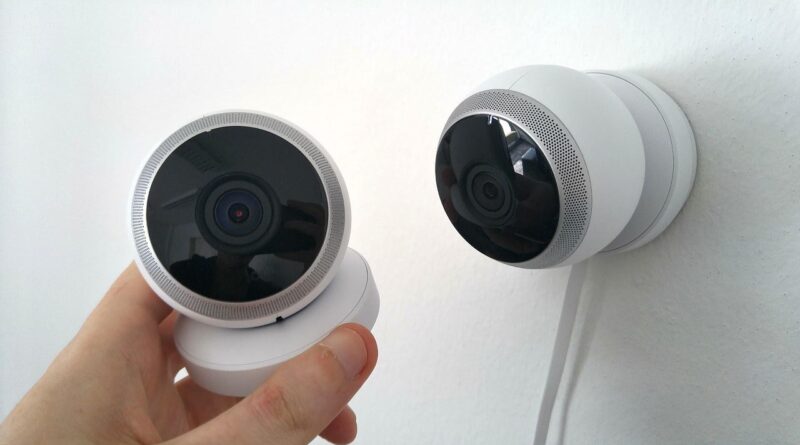
Professional help is useful for outdoor cameras, attic cable runs, and Power over Ethernet systems. A wired camera system can be cleaner and more reliable than battery cameras, especially around garages, gates, and long driveways. Good cable placement also avoids the ugly cable stapled along a wall, which usually looks worse once the new-device excitement is gone.
Whole-Home Scenes and Handover
If you hire an installer, ask for a handover document. It should list device names, rooms, hubs, app accounts, network names, warranty details, and reset steps. A neat handover makes future changes easier. Without it, a simple router replacement two years later can turn into a strange treasure hunt.
FAQ
Q1: How Much Does Smart Home Installation Cost? A: Cost depends on device type, home size, wiring, and labor. A small DIY setup with plugs, bulbs, and sensors may stay modest, while a whole-home system with cameras, smart switches, networking, and professional labor costs much more. Build in phases to keep spending under control.
Q2: Can You Install a Smart Home Without Changing All Wiring? A: Yes. Smart plugs, bulbs, sensors, speakers, and many battery devices need no wiring changes. Smart switches, wired thermostats, doorbells, and PoE cameras may need wiring checks or professional help.
Q3: Is Matter Required for a Good Smart Home? A: No, but Matter can make brand mixing easier. It is most useful when you want devices to work across major platforms. Always check whether the exact feature you need is supported, not just the logo on the box.
Q4: What Is the Best First Smart Home Device? A: For many homes, the best first device is a smart thermostat, smart switch, video doorbell, or leak sensor. Choose the one that solves your biggest daily problem first.
Q5: How Do You Keep Smart Home Devices Secure? A: Use unique passwords, turn on two-factor authentication, update firmware, keep the router secure, and remove devices you no longer use. Also test manual controls so the home still works during an internet outage.