Smart home basics for 2026 and what really matters before you buy
Smart home technology has shifted from novelty to infrastructure
A smart home is no longer just a group of app-controlled light bulbs, speakers and plugs. In 2026, its real value depends on how reliably devices work together, how safely they handle data, how easy they are to set up, and whether basic functions can continue when platforms change or internet service is unavailable. The most important changes are happening around interoperability standards such as Matter, low-power networking such as Thread, and clearer cybersecurity expectations from organizations including the Connectivity Standards Alliance, Thread Group, NIST and the FCC.
For readers following the Smart Home category, the practical takeaway is this: good smart home decisions now start with the network, standards and security policy, not with individual gadgets.
What counts as a smart home today?
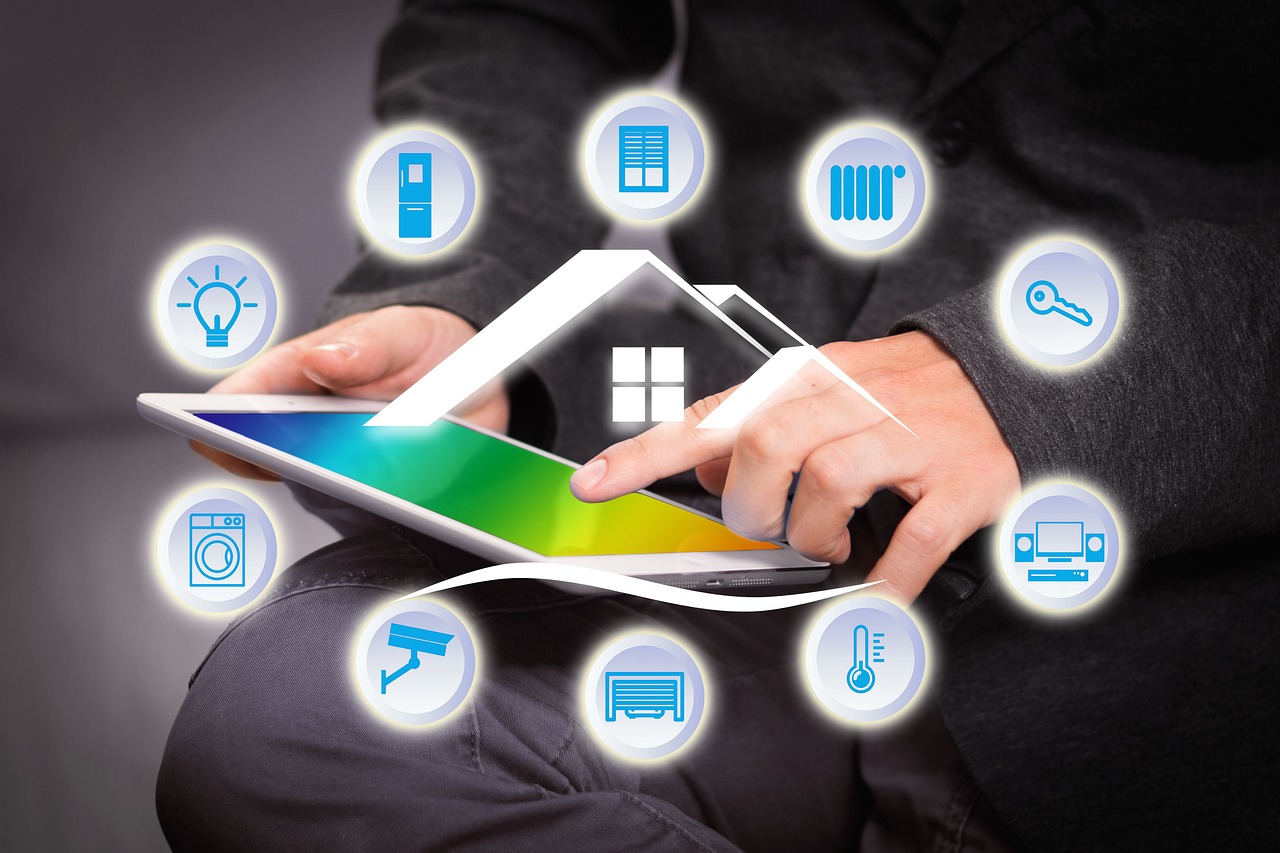
A smart home uses connected devices, sensors, controls and software to automate or remotely manage everyday functions such as lighting, heating, security, entertainment, cleaning and energy use. These devices may connect by Wi-Fi, Ethernet, Thread, Zigbee, Bluetooth or other protocols. They are usually controlled through mobile apps, voice assistants, wall panels, schedules or automations.
The definition sounds simple, but real installations are more complex. A thermostat may interact with a utility program, a motion sensor may trigger both lighting and security routines, and a doorbell camera may send live video to more than one display or service. A modern smart home is therefore less about single devices and more about coordinated behavior across a system.
It helps to think of a smart home in four layers:
- Devices: lights, locks, sensors, cameras, plugs, appliances, thermostats, speakers and other endpoints.
- Connectivity: Wi-Fi for higher-bandwidth devices, Thread or Zigbee for low-power mesh devices, Ethernet for fixed infrastructure, and Bluetooth mainly for setup or short-range connections.
- Control: mobile apps, hubs, smart speakers, automation engines and ecosystem platforms.
- Rules and trust: interoperability standards, cybersecurity practices, software update policies and privacy controls.
The last layer is becoming more important because many smart home products remain in place for years. A smart switch installed behind a wall plate, a smart lock on a front door or a connected smoke alarm should not be treated like a disposable accessory.
Matter is changing the smart home buying checklist
Matter is a smart home connectivity standard maintained by the Connectivity Standards Alliance. Its goal is to reduce fragmentation between brands and ecosystems by giving certified devices a common application layer. In practical terms, Matter is designed to make it easier for a device to work across major platforms when both the product and the platform support the relevant Matter feature.
That does not mean every Matter device supports every smart home feature. Matter support depends on the device type, the specification version, the product firmware and the ecosystem app controlling it. A Matter logo is useful, but it should not be the only buying criterion.
The recent Matter timeline shows where the standard is heading:
| Release | Date | Why it matters for smart homes |
|---|---|---|
| Matter 1.4 | November 7, 2024 | Expanded attention to energy-related devices, network infrastructure and larger home deployments. |
| Matter 1.4.1 | May 7, 2025 | Improved setup through features such as enhanced setup flow, multi-device setup QR codes and NFC onboarding information. |
| Matter 1.4.2 | August 11, 2025 | Added quality, security and scalability refinements, including certifiable scenes, quieter reporting and stronger infrastructure expectations. |
| Matter 1.5 | November 20, 2025 | Expanded the standard to cameras, closures, soil sensors and additional energy management capabilities. |
| Matter 1.5.1 | March 31, 2026 | Refined camera, doorbell, chime and intercom behavior after the Matter 1.5 expansion. |
| Matter 1.6 | June 17, 2026 | Focused on setup, multi-ecosystem administration, thermostat suggestions and clearer device capability communication. |
The practical impact is that Matter has moved beyond the early promise of basic device pairing. The standard is now addressing setup friction, multi-platform control, video devices, energy use and larger installations. However, adoption still depends on manufacturers and platforms implementing each feature. Buyers should check the actual device specifications and the support notes for their preferred ecosystem, not just the standard version announced by the industry body.
Thread matters because the network decides the experience
Many smart home problems look like device problems but are really network problems. Delayed automations, unreachable sensors, battery drain and unreliable outdoor devices often point to weak connectivity rather than a bad automation idea.
Thread is a low-power, IP-based mesh networking technology used by many Matter devices. It is designed for small devices such as sensors, locks, plugs and switches that need reliable communication without the power demands of Wi-Fi. Thread devices can form a mesh, and a Thread border router connects that mesh to the home network.
The Thread Group released Thread 1.4 for implementation and certification, with improvements intended to help devices join an existing Thread network instead of creating separate networks under different ecosystems. That matters because homes often contain products from more than one platform. A family may use one voice assistant in the kitchen, another app for security, and a different hub for lighting. If those systems create fragmented networks, the user gets more complexity instead of more convenience.
For buyers, the practical checklist is straightforward:
- Check whether a device uses Wi-Fi, Thread, Zigbee, Bluetooth or Ethernet.
- For Thread devices, confirm that the home has a compatible Thread border router.
- For battery-powered sensors, prefer low-power networking over Wi-Fi when practical.
- For cameras and video doorbells, expect Wi-Fi or wired Ethernet because video needs more bandwidth.
- For installed infrastructure, such as switches or routers, consider long-term standards support before price alone.
A strong smart home starts with a stable router, good wireless coverage and a clear understanding of which devices should use which network. Buying more gadgets will not fix a weak foundation.
Security and privacy are now core smart home features
Security used to be treated as a technical detail. That is no longer realistic. Smart locks, baby monitors, security cameras, thermostats and appliances can reveal patterns about when people are home, which rooms are occupied and what routines a household follows. A connected product is also part of the home network, so poor update practices or weak authentication can create risk beyond the device itself.
In the United States, the FCC established the voluntary U.S. Cyber Trust Mark program for connected smart devices through a March 14, 2024 report and order. The program is designed to let qualifying products display a cybersecurity label and include a QR code linked to registry information for consumers. The FCC described the program as being built on cybersecurity criteria developed by NIST.
NIST has also continued to develop IoT cybersecurity guidance. NIST IR 8425, published in September 2022, describes a consumer IoT cybersecurity baseline. In April 2026, NIST published Revision 1 of NIST IR 8259, which addresses foundational cybersecurity activities for IoT product manufacturers across pre-market and post-market phases.
These programs do not remove the need for buyer judgment, but they show where the market is moving. Smart home products should be evaluated by security lifecycle as well as features. Before buying, consider whether the manufacturer clearly explains:
- How long the product will receive security updates.
- Whether two-factor authentication is available for the account.
- How local control works if cloud service is unavailable.
- What data is collected and whether it is shared with third parties.
- How the product can be reset, transferred or securely retired.
For sensitive devices such as cameras, locks and alarms, these questions are not secondary. A cheaper product with unclear support can become expensive if it exposes the home to avoidable risk or stops receiving updates after a short period.
Energy management is becoming a practical smart home use case
Early smart home marketing often focused on convenience: turn lights on by voice, check a camera from a phone, or start a robot vacuum from work. Those features still matter, but energy management is becoming a more practical reason to invest in connected devices. See also: Gadgets.
Smart thermostats, plugs, load controllers, EV chargers, heat pumps, water heaters, solar inverters and battery systems can all become part of a home energy strategy. Matter releases since 2024 have increasingly included energy-related capabilities, while Matter 1.6 introduced thermostat suggestions that allow ecosystems to send recommended changes rather than direct commands. The idea is that a thermostat can consider user preferences, current context and supported presets before changing behavior.
This matters because homes are becoming more electrically complex. A household may have rooftop solar, a home battery, an electric vehicle, variable electricity rates and a heat pump. Automation can help, but only if it respects comfort, safety and user intent. A system that saves energy but ignores a manual temperature change is not smart; it is frustrating.
Useful energy-focused automations include:
- Lowering HVAC demand during peak pricing periods while staying within comfort limits.
- Running appliances when solar production is higher, where practical and safe.
- Using smart plugs to identify standby power consumption.
- Coordinating blinds, thermostats and occupancy sensors to reduce heating or cooling loads.
- Sending alerts when a device behaves abnormally, such as a freezer drawing unusual power.
The limitation is that energy savings vary by climate, utility rates, building insulation, appliance type and user behavior. A smart home system can support energy management, but it cannot compensate for every structural inefficiency in a building.
How to build a smart home without locking yourself into mistakes
The safest way to build a smart home is to start small, choose infrastructure carefully and avoid buying devices only because they are discounted. A practical first phase might include a smart speaker or hub, a few Matter-compatible lights or plugs, a thermostat if the HVAC system supports it, and one or two sensors that solve real problems.
Before adding more devices, test the basics:
- Reliability: Do automations run when expected?
- Latency: Do lights and sensors respond quickly enough for daily use?
- Fallback: Can critical controls still work manually?
- Account security: Are strong passwords and multi-factor authentication enabled?
- Household usability: Can guests, children or less technical family members use the system?
Installed devices deserve extra caution. Replacing a plug-in lamp is easy. Replacing an in-wall switch, connected lock or hardwired alarm is more expensive and may require professional help. For those categories, prioritize established electrical ratings, local code compliance, clear support policies and compatibility with the control system you already use.
It is also worth separating convenience devices from critical devices. Voice-controlled mood lighting can fail without serious consequences. A lock, smoke alarm or garage door controller needs a stronger standard of reliability, security and manual override.
Common smart home mistakes to avoid
The most common mistake is buying by ecosystem first and architecture second. Ecosystems matter, but a good smart home also depends on standards, networking, device categories and maintenance. A system that works only through one cloud account may feel convenient at first but can become limiting later.
Another mistake is assuming that every device needs to be smart. Some functions are better left simple. A manual wall switch, a standard appliance button or a physical key can be valuable when internet service is down, a phone battery is dead or a guest needs immediate control.
A third mistake is ignoring firmware updates. Smart home products are software products. If a device has no visible update history or support policy, buyers should be cautious, especially for cameras, locks and network-connected appliances.
Finally, avoid building automations that are too clever to understand. A useful automation has a clear trigger, a predictable result and an obvious way to override it. If a household cannot explain why the lights, thermostat or lock behaved a certain way, the system needs simplification.
Frequently asked questions
Is a smart home worth it in 2026?
Yes, if it solves specific problems such as comfort, security awareness, energy management, accessibility or routine automation. It is less worthwhile when devices are bought without a plan, because fragmented systems can create more maintenance than convenience.
Do I need Matter for every smart home device?
No. Matter is helpful for interoperability, but it is not required for every device. Cameras, appliances and advanced security systems may still depend on brand-specific features. The best approach is to use Matter where it improves flexibility and check feature-level support before purchase.
Is Thread better than Wi-Fi for smart home devices?
Thread is often better for low-power sensors, switches, locks and plugs because it is designed for efficient mesh networking. Wi-Fi remains more suitable for high-bandwidth devices such as cameras, displays and some appliances. A well-designed home can use both.
What should I check before buying a smart lock or camera?
Check the update policy, authentication options, data handling, local control features, compatibility with your main ecosystem and whether the product has a clear security history. For locks, also confirm physical key or backup access options.
What is the smartest first upgrade?
For many homes, the smartest first upgrade is not a gadget but the network. A reliable router, strong Wi-Fi coverage and the right hub or border router will make later devices more dependable. After that, choose one practical use case, such as lighting, thermostat control or leak detection, and build gradually.