Is Alexa Smart Home Still the Best Choice for Your Connected Home in 2026?
Why Does an Alexa Smart Home Still Matter in 2026?
An alexa smart home still matters because it takes small daily jobs and makes them easier to handle. You can ask for lights, change the thermostat, check a camera, start a plug, or run a bedtime routine without opening your phone. If you are comparing platforms, start with the bigger picture in the Smart Home category, then match your device choices to the rooms you use most.
Market data also shows that connected homes are now part of the normal home device market, not just a hobby area. Parks Associates reported in April 2024 that 45% of U.S. internet households owned at least one smart home device, and 18% owned six or more. Amazon said in 2023 that customers had connected more than 400 million smart home devices to Alexa and used Alexa hundreds of millions of times each week for smart home control. (prnewswire.com)

Voice Control Fits Busy Rooms
Voice control is useful in rooms where your hands are not free. In a kitchen, hallway, laundry area, or bedroom, a short command like “Alexa, turn on the kitchen lights” saves a small but real step. That is why people keep using it after the first week, because it fits the way the room is already used.
Broad Device Support Lowers Risk
Alexa’s main business value is the wide product choice. Amazon’s developer materials say more than 140,000 smart speakers, lights, plugs, TVs, cameras, and similar products work with Alexa. This large catalog lowers the risk of buying into a narrow system. Still, check the product page, model number, and regional support before checkout, because one brand may sell several similar devices with different functions. (developer.amazon.com)
Simple Routines Make Small Wins Add Up
Routines are where Alexa starts to feel like a home system, not only a voice speaker. A morning routine can turn on a coffee plug, set lights to 60%, and read the weather. A leaving-home routine can switch off lights and lower the thermostat. These are not complicated features, but they remove repeated taps that people usually get tired of doing.
Which Devices Should You Add First?
The best first devices are not always the high-priced ones. Start with products that fix a small problem you deal with often. A smart plug for a floor lamp may bring more value than a security system you rarely open. Build room by room and keep the first month simple, so you can see what your household will actually use.
Smart Speakers and Displays as Control Points
An Echo speaker or display is usually the easiest control point for Alexa. A small speaker works well in bedrooms, offices, and hallways. A display is more useful in a kitchen, entry area, or family room where camera views, timers, shopping lists, and touch controls are used often. If you plan to connect many smart devices, check whether the Echo model includes a built-in smart home hub.
Lights, Plugs, and Switches for Quick Wins
Lights and plugs are the easiest place to start because setup is simple and the use case is clear. A two-pack of smart plugs can handle lamps, fans, holiday lights, or a dehumidifier. Smart bulbs are good for color and dimming, but wall switches often make more sense for ceiling fixtures used by guests. This detail matters because most guests will still press the wall switch first.
Thermostats, Locks, Cameras, and Sensors for Deeper Control
After lights and plugs, move to devices with more impact, such as thermostats, locks, cameras, contact sensors, and motion sensors. These products need more checking because they touch comfort, safety, and privacy. A thermostat should match your HVAC wiring, and a lock should still have a reliable manual key option. A camera also needs clear storage rules and a sensible position before it goes online.
How Should You Choose Products That Work With Alexa?
Compatibility is not only a logo on a box. A good Alexa device should respond quickly, keep working after firmware updates, and support the controls you need. Before buying, read the product’s Alexa section, not just the star rating. A low-cost device can be fine, but unclear compatibility wording is a warning sign.
The Works With Alexa Badge
The Works with Alexa badge is useful because Amazon says the certification checks responsiveness, functionality, and compatibility. It does not promise that every feature will work the same way in every country or on every home network. Even so, it is better than a loose “Alexa supported” claim in a product title. For locks, thermostats, and garage controllers, this badge should carry more weight in the buying decision.
Matter, Thread, Zigbee, and Wi Fi Choices
Matter is the standard to watch because it is built to help devices work across major ecosystems. The Connectivity Standards Alliance released Matter 1.4 in November 2024, adding improvements such as better multi-admin support and more energy-related device categories. Thread can help battery devices form a low-power mesh, while Wi Fi remains common for plugs, bulbs, cameras, and appliances. Zigbee is still common in many hub-based setups, so check what your Echo model and device brand support before you buy. (csa-iot.org)
App Quality, Firmware, and Brand Support
Even if Alexa handles voice control, the brand’s own app still matters. You may need it for setup, firmware updates, schedules, calibration, or advanced settings. Check whether the app has recent updates and clear privacy controls. A smart light from a brand that has not updated its app in two years may become a headache, even if it turns on today.
Can Alexa Help You Save Energy and Reduce Waste?
Alexa will not cut a utility bill by itself. Savings come from better schedules, fewer forgotten devices, and habits that are easy to repeat. Those habits are simple to automate once the devices are named and grouped well. Poor settings can waste energy too, so review your routines after a few weeks.
Thermostat Schedules With Real Savings
Smart thermostats are often the strongest energy case in a connected home. ENERGY STAR states that certified smart thermostats save about 8% of heating and cooling bills on average, roughly $50 per year, though actual savings depend on climate, HVAC type, and behavior. With Alexa, you can link schedules with voice control, such as lowering the temperature at bedtime or switching to away mode when nobody is home. This works best when the schedule matches real household habits, not a plan copied from the app default. (energystar.gov)
Lights and Plugs That Stop Standby Waste
Smart plugs can reduce waste from devices that stay on longer than needed. A fan that runs all night, a decorative lamp left on in the basement, or a charger strip that never gets switched off can be put on a schedule. The savings may be small for one device, but the habit is still useful across several rooms. It also cuts down on those “Did you leave it on?” checks before bed or after leaving home.
Energy Dashboard Habits That Stick
Some Alexa-compatible devices send estimated energy use to dashboards or to their own apps. Treat those numbers as working guides, not lab-grade meters, unless the manufacturer clearly explains how the data is measured. The useful part is comparison. You can see which plug runs all day, which routine causes waste, and which room keeps lights on after everyone leaves. See also: Gadgets.
What Privacy and Security Steps Should You Take?
A smart home gives convenience, but it also needs basic control. Speakers, cameras, locks, and sensors can collect signals about daily life. That does not mean you should avoid them, but setup should not be rushed. Spend ten minutes on privacy before adding more devices, because it is easier to set rules early than fix a messy system later.
Voice History Review and Auto Delete
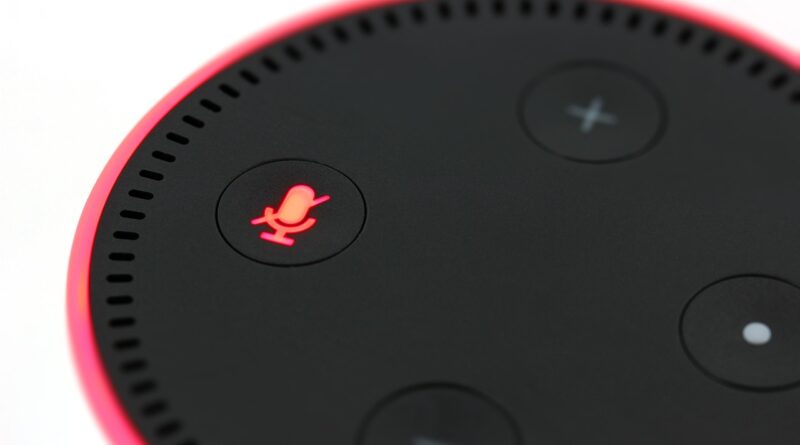
Amazon says users can review voice history, delete recordings, choose how long recordings are saved, manage Skill permissions, and review smart home device history in Alexa privacy settings. Do this during setup, not months later when the system is already crowded. If you do not need saved voice history, choose a shorter retention period. Also mute the microphone when a device sits in a room where voice control is not needed. (aboutamazon.com)
Network Segmentation and Strong Account Settings
Use a strong Amazon password, turn on two-step verification, and do not share the main account with too many people. If your router supports a guest or IoT network, put smart devices there and keep phones and laptops on the main network. This is not exciting work, but it is a clean way to reduce trouble if a low-cost device starts acting strangely. It also makes future device changes easier to manage.
Camera, Lock, and Child Safety Basics
Cameras should not face private areas, and locks should keep a physical backup method. Voice purchasing and sensitive routines should be restricted if children use the same speakers. A child-friendly bedtime routine is fine, but unlocking a door by voice needs tighter control. Convenience should not override common sense at the front door.
What Is the Best Setup Plan for a Reliable Alexa Home?
The most reliable Alexa smart home usually starts small and grows step by step. Many problems come from buying ten devices in one weekend, giving them unclear names, and hoping the app will sort it out. A slower plan costs less, creates fewer support issues, and makes daily use easier for the whole household.
Start With Rooms Instead of Devices
Pick one room and make it work well before moving on. A bedroom might need two lamps, a speaker, and a bedtime routine. A kitchen might need a display, under-cabinet lights, and a smart plug for a coffee maker. This room-first plan helps you test Wi Fi coverage, voice pickup, device naming, and family behavior before you scale across the house.
Name Devices Like a Normal Person
Good names save a lot of small problems. Use names you would actually say, such as “bedroom lamp,” “hall light,” “front door,” and “coffee plug.” Avoid brand names, numbers, and cute labels that only made sense on setup day. If two devices sound too similar, Alexa may choose the wrong one, so plain names often work best.
Test One Routine Before Buying More
Create one routine and use it for a week before adding more products. A good test is “Alexa, good night,” with lights off, thermostat adjusted, and selected plugs off. If the routine works every night, expand the setup. If it fails, fix naming, Wi Fi coverage, or device placement first, because the goal is a home that works in normal use.
FAQ
Q1: Is Alexa Smart Home Good for Beginners? A: Yes. Alexa is beginner-friendly because speakers, lights, plugs, and routines are easy to set up. Start with one room and choose products with clear Alexa compatibility.
Q2: Do You Need an Echo Device for an Alexa Smart Home? A: Not always, because the Alexa app can control compatible devices. Still, an Echo speaker or display makes the system much more useful for voice control and routines.
Q3: Is Matter Required for Alexa Devices? A: No. Many Alexa devices still use Wi Fi, Zigbee, cloud skills, or brand hubs. Matter is helpful when you want wider ecosystem support, but it is not required for every purchase.
Q4: Can Alexa Control Devices When the Internet Is Down? A: Some local-control or hub-based features may keep working, but many Alexa commands need cloud access. If offline control matters, check the exact Echo model, protocol, and device support before buying.
Q5: What Is the Best First Alexa Routine? A: A bedtime routine is usually the best first test. Turn off lights, stop selected plugs, lower the thermostat, and keep the command simple, such as “Alexa, good night.”