Which Smart Home Companies Are Best for a Reliable Connected Home?
Which Smart Home Companies Deserve Your Shortlist?
When you compare smart home companies, do not start with the logo on the package. Start with how the home is used every day. Lights, locks, cameras, thermostats, sensors, and appliances should be easier to handle, not another set of apps to babysit. If you are still sorting out the basic product groups, the Smart Home section is a practical place to plan before spending money.
Ecosystem Builders Set the Rules
Amazon Alexa, Google Home, Apple Home, and Samsung SmartThings are the ecosystem names most buyers run into first. They may not make every device you need, but they decide a lot of the daily experience.
The app layout, voice control, routines, user permissions, and compatibility all depend on this choice. If the ecosystem is a poor fit, even a good lock or camera can feel slow and awkward every morning.
Device Specialists Fill the Gaps
Device-focused brands still matter because a strong ecosystem app cannot cover weak hardware. Philips Hue is known for lighting, Lutron for switches, Ecobee for thermostats, Aqara for sensors and hubs, and TP-Link for accessible plugs, switches, and cameras.
This does not mean you need to buy from every brand on the shelf. The better way is to match each room with the product type that works best there, then check whether it plays well with the ecosystem you picked.
Professional Installers Solve Whole-Home Jobs
If the home has distributed audio, motorized shades, security zones, gates, outdoor cameras, or a rack of network gear, a pro-installed setup can save a lot of trouble. Control4, Savant, Crestron, ADT, and Vivint serve a different buyer group from plug-and-play device brands.
The cost is higher, and that should be clear from the start. In return, you get design, installation, documentation, and someone to call when a system fails at 9 p.m.
What Market Signals Show Which Companies May Last?
Smart home products are not small throwaway accessories when they control doors, heating, and cameras. Market size alone does not prove a brand is reliable, but it does show why long-term support is now a buying point. Statista Market Insights projected global smart home market revenue at US$159.5 billion in 2026. IDC forecast smart home device shipments rising from 892.3 million units in 2024 to 931.1 million in 2025, with about 1.1 billion units expected by 2028. (statista.com)
Shipment Volume Favors Broad Product Lines
Companies with broad product lines often handle slow buying periods better. A brand that sells cameras, switches, sensors, bulbs, and hubs has more ways to stay useful than a brand built around one narrow gadget.
That said, broad does not always mean dependable. Check whether the company still updates old products, or whether it keeps launching new models and leaving earlier buyers behind.
Revenue Growth Rewards Useful Services
Many smart home companies now earn recurring income from cloud recording, security monitoring, advanced detection, warranty plans, and energy programs. This can be fine when the service is useful and priced clearly.
It becomes annoying when basic features are locked behind a monthly fee. Before buying a camera or doorbell, read the plan page and check recording limits, event history, person detection, and cancellation terms.
Support Years Matter More than Launch Buzz
A busy launch campaign means little if the app is gone in three years. Buyers need clear software support, replacement parts, and a way to move devices to another ecosystem if plans change.
There is no single public dataset that ranks every smart home company across all categories in a reliable way. Treat top ten lists as a starting point, not as a final buying rule.
How Should You Compare Ecosystems Before You Buy?
Your ecosystem choice affects nearly every purchase after that. It decides who in the home can control devices, which automations are simple, and which features still need a separate app. As of July 2026, the Connectivity Standards Alliance had released Matter 1.6 on June 17, 2026, adding tools such as NFC-based commissioning and Joint Fabric for multi-ecosystem management. That shows interoperability is moving from sales talk into real setup work. (csa-iot.org)
App Quality Shapes Daily Use
Read app reviews before buying the hardware. It sounds simple, but the app is where you rename rooms, add users, fix offline devices, and build routines.
A good device with a poor app quickly turns into weekend maintenance. Look for fast pairing, clear room grouping, clean alerts, and guest access that normal family members can understand.
Matter Support Cuts Lock-In
Matter does not make every product work in exactly the same way. Vendor apps still control some advanced features, so you should not ignore the brand app completely.
Even with that limit, Matter support can reduce lock-in for lights, plugs, locks, thermostats, sensors, and more device types as the standard grows. If two similar products cost about the same, the one with stronger Matter support usually gives you a safer way out later.
Local Control Keeps Key Routines Running
Cloud features are useful, but lights and basic routines should not stop just because the internet is down. Ask whether the main controls work on the local network.
In a small apartment, this may not feel like a big issue. In a house with smart switches in every room, local control can be the difference between a normal evening and a very uncomfortable dinner.
Which Product Categories Create the Best First Upgrade?
The best first buy is usually not the most expensive device. It is the product that fixes a real problem you notice every week. Start with one or two categories, use them for a month, and then decide what to add. This avoids the common smart home mistake where you own ten devices but only use two.
Security Devices Give Fast Feedback
Video doorbells, smart locks, contact sensors, and indoor cameras give quick feedback. You know when a package arrives, a door is left open, or a guest needs temporary access.
The privacy side needs care. Cameras inside bedrooms or kids’ rooms are rarely worth the risk, even when the feature list looks useful. Keep security practical and avoid turning the home into a place people do not feel comfortable in.
Climate Controls Can Save Real Money
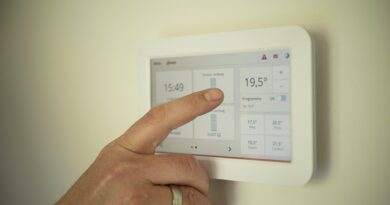
Smart thermostats can be a practical upgrade because heating and cooling are major household costs. ENERGY STAR says certified smart thermostats save about 8% of heating and cooling bills, or roughly US$50 per year on average, based on real-world data from installed homes. See also: Gadgets.
Homes with very hot summers or cold winters may save more. Homes where someone is always inside may see less, so the real value depends on the schedule and local climate. (energystar.gov)
Lighting and Plugs Make Automation Visible
Smart lighting and plugs are the easiest way to feel automation without rewiring the house. A hallway light that turns on at dusk, a kettle plug that shuts off after breakfast, or a lamp scene for movie night can be small but useful.
For ceiling fixtures, smart switches often work better than smart bulbs. Guests can still use the wall switch, and the room does not stop working when someone flips power off by habit.
What Privacy and Security Checks Should You Make?
Every connected device adds another account, another app, and another possible weak point. This is why better smart home companies explain security in plain language. NIST published its consumer IoT cybersecurity baseline, NIST IR 8425, and its program page notes that the U.S. Cyber Trust Mark was created to help consumers judge connected smart devices more easily. (nist.gov)
Update Policies Need Clear Dates
Look for a stated support period before you buy. Words like regular updates are not enough if the company gives no date or policy.
You want a support range, a security patch policy, and notice before a product is retired. If a smart lock or camera has no visible support policy, slow down. A cheap device becomes expensive when you have to replace it early.
Data Collection Should Match the Feature
A thermostat needs occupancy and temperature data to do its job. A camera may need video storage if you choose cloud recording.
A plug used for a lamp should not need your contact list or location running all day. Check app permissions after setup, not only during installation. Turn off data sharing that does not clearly improve the feature you paid for.
Network Design Protects the Rest of the Home
Put smart devices on a guest network or a separate IoT network if your router supports it. Use unique passwords and two-factor login for the main account.
Keep the router updated as well. Many homes blame the smart device when the real issue is weak Wi-Fi, old firmware, or a router placed behind a metal cabinet.
Which Company Type Fits Your Home and Budget?
There is no single best brand for every home. A renter, a new homeowner, and a luxury villa owner usually need different company types. Good buying is mostly about control. Buy what fits the building, the people using it, and the maintenance you are willing to handle.
Renters Need Portable Gear
Renters usually do best with bulbs, plugs, battery cameras, sensors, smart speakers, and adhesive switches. These products are easier to remove and do not normally require changes to the property.
Avoid products that need deep wiring or permanent mounting unless the lease allows it. Keep the original hardware in a box. Move-out day is much easier when the place can be restored in one afternoon.
Homeowners Need Scalable Wiring
Homeowners can plan with a longer timeline. Smart switches, wired doorbells, PoE cameras, mesh Wi-Fi, and a central hub can be worth the extra work.
If you are renovating, ask the electrician for neutral wires, deep switch boxes, and Ethernet in key spots. It is not exciting work, but wiring is still the quiet part that keeps a smart home stable.
Large Properties Need Service Plans
Large homes often need managed Wi-Fi, outdoor coverage, gate access, backup power, and someone who can troubleshoot on site. In this case, compare companies by service response, documentation, and installer quality, not only by device price.
The lowest quote may not be the lowest real cost. If no one answers when the driveway camera fails before a trip, the cheap system has already lost its value.
FAQ
Q1: Which smart home companies are best for beginners? A: Start with an ecosystem you already use, such as Apple Home, Google Home, Alexa, or SmartThings. Then add proven device brands in one category at a time.
Q2: Should you buy everything from one smart home company? A: Not always. One ecosystem can control the home, while specialist brands may do a better job with lighting, locks, cameras, and thermostats.
Q3: Is Matter support required for a good smart home? A: It is not required, but it is a strong plus. It can reduce lock-in and make future device sharing easier.
Q4: What should you check before buying smart security devices? A: Check storage costs, privacy settings, update policy, user access controls, and whether basic alerts still work during network trouble.
Q5: How much should you spend at first? A: For most homes, a small test setup with two or three useful devices is smarter than a full-home purchase before you know what you actually use.