Top smart home devices to consider for a practical connected home in 2026
What belongs on a smart home shortlist in 2026?
The top smart home devices for most households in 2026 are not necessarily the newest gadgets. They are the devices that solve frequent problems, work reliably in the ecosystem you have chosen, and avoid turning the home into a stack of disconnected apps. A practical shortlist usually starts with a Matter-capable hub or controller, smart lighting, a smart thermostat where the HVAC system supports it, smart plugs, a video doorbell or smart lock, leak sensors, security sensors, and a small number of carefully placed cameras.
The smart home market is also moving beyond early adopters. Parks Associates has reported that roughly 13 million additional U.S. internet households entered the smart home market since 2020, bringing smart home device ownership to about 54 million households. With a broader audience, the buying logic changes: simplicity, privacy, service life, and interoperability now matter as much as feature lists. For more connected-home coverage, see our Smart Home section.

How to judge a smart home device before buying
A useful device should pass four basic tests before it earns a place in the home. First, it should support the platform the household actually uses, such as Apple Home, Google Home, Amazon Alexa, Samsung SmartThings, Home Assistant, or another system. Second, it should perform its main job well after the novelty wears off. Third, it should have a clear security and update policy. Fourth, it should not depend on subscriptions unless the paid service adds real value.
Matter is now one of the strongest buying signals, but it is not a magic label. The Connectivity Standards Alliance released Matter 1.5 on November 20, 2025, adding support for cameras, closures, soil sensors, and expanded energy management. Matter 1.5.1 followed on March 31, 2026 with camera and doorbell improvements, and Matter 1.6 arrived on June 17, 2026 with setup, multi-ecosystem, thermostat, sensor, and security infrastructure enhancements. The direction is positive, but ecosystems still adopt features at different speeds.
- Look for Matter when interoperability matters. It can reduce lock-in, especially for lights, plugs, sensors, thermostats, locks, blinds, and newer cameras.
- Check Thread support for battery-powered sensors. Thread devices often need a Thread border router, which may be built into a hub, speaker, router, or streaming box.
- Confirm the exact feature set. A device may support basic on/off control in one app while keeping advanced settings in its own app.
- Read the update policy. Security patches, cloud-service commitments, and account requirements affect long-term value.
The top smart home devices by practical value
The list below focuses on device categories rather than a universal product ranking. The right choice depends on home wiring, HVAC type, internet reliability, privacy expectations, and whether the home is rented or owned.
| Device category | Main value | Best fit | Key buying check |
|---|---|---|---|
| Smart hub or controller | Unifies devices and automations | Homes using more than one device type | Matter controller and Thread border router support |
| Smart speaker or display | Voice control and quick status checks | Kitchens, living rooms, shared spaces | Microphone controls, privacy settings, ecosystem fit |
| Smart thermostat | Comfort scheduling and energy management | Homes with compatible HVAC systems | HVAC compatibility, C-wire needs, utility rebates |
| Smart lighting and switches | Convenience, scenes, safety lighting | High-use rooms, entrances, hallways | Bulb versus switch strategy, dimmer compatibility |
| Smart plugs and outlets | Low-cost automation | Lamps, fans, seasonal lights, small appliances | Power rating and energy monitoring support |
| Smart lock | Keyless access and entry history | Front doors, rentals, family homes | Door fit, backup key or power option, user codes |
| Video doorbell | Entry awareness and package monitoring | Front doors and porches | Wired versus battery, storage plan, privacy zones |
| Leak sensor or shutoff valve | Early water-damage warning | Basements, laundry rooms, water heaters | Alarm volume, remote alerts, valve compatibility |
| Security sensors and cameras | Motion, door, window, and video awareness | Homes needing monitoring without full rewiring | Local storage, encryption, subscription terms |
| Robot vacuum | Routine floor maintenance | Busy households and pet owners | Mapping privacy, replacement parts, obstacle handling |
1. Smart hub or controller
A hub is rarely the most visible purchase, but it can be the difference between a connected home and a collection of isolated gadgets. In 2026, the strongest hub choice is usually one that works as a Matter controller and, ideally, includes Thread border router capability. That allows compatible Thread sensors, locks, shades, and plugs to connect without relying only on Wi-Fi.
Do not choose a hub on brand loyalty alone. Check which devices it can add, whether automations run locally or in the cloud, and whether multiple household members can manage devices without account friction. Matter 1.6’s Joint Fabric concept also points toward a future in which multi-ecosystem sharing becomes more standardized, although real-world support still depends on platform rollout.
2. Smart speakers and displays
Smart speakers and displays remain useful because they give the home an everyday interface. They can start scenes, show camera feeds, answer doorbell rings, control lighting, and serve as Matter controllers in some ecosystems. A small display in the kitchen may be more practical than opening a phone app every time someone wants to adjust lights or check a timer.
The trade-off is privacy. Choose models with clear microphone and camera controls, review voice-history settings, and avoid placing always-listening devices in spaces where people expect privacy. For many homes, one or two well-placed speakers are enough; covering every room is rarely necessary.
3. Smart thermostats
A smart thermostat can be one of the highest-value connected devices when it matches the HVAC system. ENERGY STAR states that certified smart thermostats are independently certified using actual field data, and it notes that heating and cooling account for almost half of the average American household annual energy bill, or more than $900. That makes thermostat control more consequential than many small plug-in gadgets.
Before buying, verify system compatibility, especially for heat pumps, multi-stage systems, boilers, electric baseboard heat, and homes without a C-wire. Also check utility rebates, because local programs can change the real cost. A smart thermostat is not a universal savings guarantee; it works best when schedules, occupancy sensing, and temperature limits match how people actually live in the home.
4. Smart lighting and switches
Smart lighting is usually one of the easiest upgrades to notice every day. Entry lights can turn on automatically, hallways can dim at night, and vacation schedules can make a home look occupied. The main decision is whether to use smart bulbs, smart switches, or a mix of both.
Smart bulbs are well suited to renters and lamps. Smart switches are often better for ceiling fixtures controlled by wall switches because they preserve normal behavior for guests and family members. Check neutral-wire requirements, bulb compatibility with dimmers, and whether the lighting system can still be controlled when the internet is down.
5. Smart plugs and energy monitors
Smart plugs are low-risk entry points into automation. They work well for lamps, holiday lights, fans, coffee stations, and devices that can safely resume operation after power is restored. Models with energy monitoring can help identify which appliances consume more electricity over time, although they must be used within their rated load.
The main limitation is safety. A smart plug should not be used to automate high-risk appliances unless the manufacturer explicitly supports that use. Space heaters, irons, and some cooking appliances require special caution because remote control can create fire or burn risks.
6. Smart locks and video doorbells
Locks and doorbells solve a clear entry-point problem: access and visibility. A smart lock can provide temporary codes for guests or service visits, while a video doorbell can show who is at the door and record package activity. Together, they are among the most useful smart home devices for families, frequent travelers, and rental properties.
Do not buy these devices only for camera resolution or app design. A lock must physically fit the door, operate smoothly, and have a reliable backup method. A doorbell must match power availability, Wi-Fi strength, and storage preferences. Battery models are flexible but need charging; wired models are more consistent if the existing transformer is compatible.
7. Cameras, sensors, and alarms
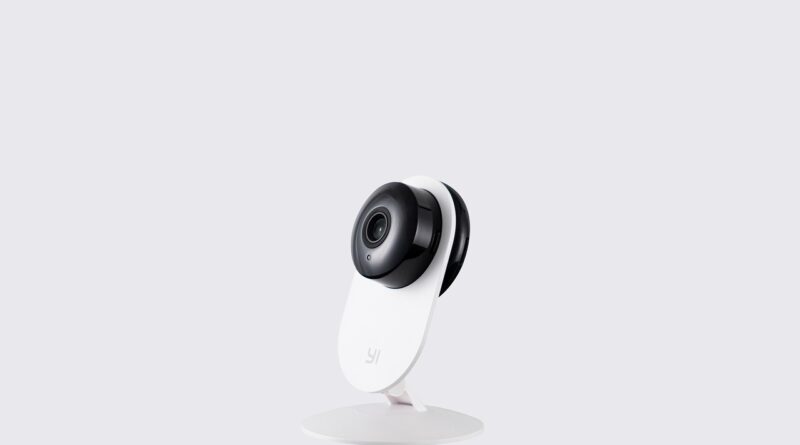
Cameras are becoming more interoperable as Matter support expands, but privacy and storage remain the main buying issues. Consumer Reports has emphasized data security, data privacy, alert speed, and video quality as key evaluation points for home security cameras. Buyers should also check whether video is stored locally, in the cloud, or both, and how long recorded clips remain available. See also: Gadgets.
Many homes get more value from basic sensors than from adding more cameras. Door sensors, motion sensors, smoke and CO alarm integrations, and water leak sensors can trigger useful automations without recording people. Matter 1.6’s support for security sensor event history and unmounted-state reporting for smoke and CO alarms shows where the category is heading: more context, not just more notifications.
8. Leak sensors, smart valves, and water management
Water damage can be far more expensive than the devices used to detect it. Leak sensors are best placed near water heaters, washing machines, sinks, dishwashers, basement drains, and HVAC condensate lines. A simple sensor that sends a reliable phone alert can be valuable; a connected shutoff valve adds a stronger layer of protection if it is compatible with the plumbing.
Matter 1.5 also added soil sensors and expanded water-related use cases, which may help connect indoor plant care, irrigation, and smart valves over time. For now, homeowners should prioritize reliable alerts, battery life, loud local alarms, and placement before chasing advanced automation.
Compatibility and standards matter more than brand hype
The smartest buying strategy is to build around a small number of ecosystems and connection standards. Wi-Fi devices are easy to add but can crowd a weak router. Thread can be efficient for sensors and small devices but requires border-router support. Zigbee and Z-Wave remain common in installed homes, especially for sensors and switches, but often need dedicated hubs. Ethernet is still ideal for stationary devices when available.
Government and standards work is also reshaping expectations. The FCC established the voluntary U.S. Cyber Trust Mark program for wireless consumer IoT products in 2024, designed to help shoppers identify products meeting baseline cybersecurity requirements. NIST’s consumer IoT baseline work also frames security around the whole product, including the device, app, and supporting services. In plain terms, a connected device is only as trustworthy as the software and account system behind it.
Starter combinations for different homes
A good smart home does not need every category at once. Start with devices that remove daily friction or reduce risk, then expand after the first setup is stable.
- For renters: smart bulbs, smart plugs, a compact speaker or display, battery sensors, and a removable indoor camera if needed.
- For homeowners: a Matter-capable hub, smart switches in high-use areas, a compatible smart thermostat, leak sensors, and a wired doorbell if the transformer supports it.
- For families: door sensors, smart locks with individual codes, shared lighting scenes, leak sensors, and carefully placed cameras with privacy zones.
- For energy-focused homes: a certified smart thermostat, energy-monitoring plugs, smart shades, device-level energy reporting where available, and automations tied to time-of-use rates.
- For security-focused homes: a smart lock, doorbell, contact sensors, motion sensors, smoke and CO integrations, and cameras only where they add clear value.
Common mistakes to avoid
The first mistake is buying too many devices before choosing an ecosystem. The second is ignoring wiring and network requirements. The third is assuming every feature will work in every app. The fourth is underestimating subscriptions. Cloud video storage, advanced alerts, cellular backup, and professional monitoring can be useful, but they change the lifetime cost of ownership.
Another mistake is placing cameras where they create privacy concerns. Indoor cameras should have a clear purpose, physical privacy controls where possible, and household consent. Outdoor cameras should use activity zones to reduce recording of public sidewalks or neighboring property. For many homes, sensors and better lighting can solve security problems with less data collection.
Frequently asked questions
What is the first smart home device most people should buy?
For most beginners, smart lighting or a smart plug is the easiest first purchase because setup is simple and the benefit is immediate. If you plan to add several device types, start with a compatible hub or controller so future products work together more smoothly.
Are Matter devices always better?
Not always. Matter is valuable for interoperability, but a non-Matter device can still be a better fit if it has stronger hardware, better local control, clearer privacy settings, or deeper support for your existing ecosystem. Treat Matter as an important buying signal, not the only one.
Do smart home devices work without the internet?
Some functions can work locally, especially with hubs and local automations, but many features still depend on internet access. Remote control, cloud video, voice assistants, firmware updates, and some notifications may require online services.
Which smart home devices can help save energy?
Smart thermostats, lighting controls, smart shades, and energy-monitoring plugs are the most practical starting points. The largest potential impact usually comes from controlling heating and cooling, but results depend on HVAC type, climate, schedules, and user behavior.
How many smart home apps are too many?
If everyday tasks require opening several apps, the setup is probably too fragmented. A good target is one primary control app, one manufacturer app for advanced settings when necessary, and clear shared access for household members.
The bottom line
The best smart home plan in 2026 is practical, selective, and standards-aware. Start with a reliable controller, add lighting and plugs for daily convenience, consider a smart thermostat when the HVAC system supports it, and use locks, doorbells, sensors, cameras, and leak protection where they solve real problems. The top smart home devices are not the ones with the longest feature lists; they are the ones that keep working, protect user data, and make the home easier to live in.